
Dictionaries are used to eliminate words that should not be considered in a search (stop words), and to normalize words so that different derived forms of the same word will match. A successfully normalized word is called a lexeme. Aside from improving search quality, normalization and removal of stop words reduce the size of the tsvector representation of a document, thereby improving performance. Normalization does not always have linguistic meaning and usually depends on application semantics.
Some examples of normalization:
-
Linguistic — Ispell dictionaries try to reduce input words to a normalized form; stemmer dictionaries remove word endings
-
URL locations can be canonicalized to make equivalent URLs match:
-
http://www.pgsql.ru/db/mw/index.html
-
http://www.pgsql.ru/db/mw/
-
http://www.pgsql.ru/db/../db/mw/index.html
-
-
Color names can be replaced by their hexadecimal values, e.g.,
red, green, blue, magenta -> FF0000, 00FF00, 0000FF, FF00FF -
If indexing numbers, we can remove some fractional digits to reduce the range of possible numbers, so for example 3.14159265359, 3.1415926, 3.14 will be the same after normalization if only two digits are kept after the decimal point.
A dictionary is a program that accepts a token as input and returns:
-
an array of lexemes if the input token is known to the dictionary (notice that one token can produce more than one lexeme)
-
a single lexeme with the
TSL_FILTERflag set, to replace the original token with a new token to be passed to subsequent dictionaries (a dictionary that does this is called a filtering dictionary) -
an empty array if the dictionary knows the token, but it is a stop word
-
NULLif the dictionary does not recognize the input token
PostgreSQL provides predefined dictionaries for many languages. There are also several predefined templates that can be used to create new dictionaries with custom parameters. Each predefined dictionary template is described below. If no existing template is suitable, it is possible to create new ones; see the contrib/ area of the PostgreSQL distribution for examples.
A text search configuration binds a parser together with a set of dictionaries to process the parser’s output tokens. For each token type that the parser can return, a separate list of dictionaries is specified by the configuration. When a token of that type is found by the parser, each dictionary in the list is consulted in turn, until some dictionary recognizes it as a known word. If it is identified as a stop word, or if no dictionary recognizes the token, it will be discarded and not indexed or searched for. Normally, the first dictionary that returns a non-NULL output determines the result, and any remaining dictionaries are not consulted; but a filtering dictionary can replace the given word with a modified word, which is then passed to subsequent dictionaries.
The general rule for configuring a list of dictionaries is to place first the most narrow, most specific dictionary, then the more general dictionaries, finishing with a very general dictionary, like a Snowball stemmer or simple, which recognizes everything. For example, for an astronomy-specific search (astro_en configuration) one could bind token type asciiword (ASCII word) to a synonym dictionary of astronomical terms, a general English dictionary and a Snowball English stemmer:
ALTER TEXT SEARCH CONFIGURATION astro_en
    ADD MAPPING FOR asciiword WITH astrosyn, english_ispell, english_stem;
A filtering dictionary can be placed anywhere in the list, except at the end where it’d be useless. Filtering dictionaries are useful to partially normalize words to simplify the task of later dictionaries. For example, a filtering dictionary could be used to remove accents from accented letters, as is done by the unaccent module.
12.6.1. Stop Words
Stop words are words that are very common, appear in almost every document, and have no discrimination value. Therefore, they can be ignored in the context of full text searching. For example, every English text contains words like a and the, so it is useless to store them in an index. However, stop words do affect the positions in tsvector, which in turn affect ranking:
SELECT to_tsvector('english', 'in the list of stop words');
        to_tsvector
----------------------------
 'list':3 'stop':5 'word':6
The missing positions 1,2,4 are because of stop words. Ranks calculated for documents with and without stop words are quite different:
SELECT ts_rank_cd (to_tsvector('english', 'in the list of stop words'), to_tsquery('list & stop'));
 ts_rank_cd
------------
       0.05

SELECT ts_rank_cd (to_tsvector('english', 'list stop words'), to_tsquery('list & stop'));
 ts_rank_cd
------------
        0.1
It is up to the specific dictionary how it treats stop words. For example, ispell dictionaries first normalize words and then look at the list of stop words, while Snowball stemmers first check the list of stop words. The reason for the different behavior is an attempt to decrease noise.
12.6.2. Simple Dictionary
The simple dictionary template operates by converting the input token to lower case and checking it against a file of stop words. If it is found in the file then an empty array is returned, causing the token to be discarded. If not, the lower-cased form of the word is returned as the normalized lexeme. Alternatively, the dictionary can be configured to report non-stop-words as unrecognized, allowing them to be passed on to the next dictionary in the list.
Here is an example of a dictionary definition using the simple template:
CREATE TEXT SEARCH DICTIONARY public.simple_dict (
    TEMPLATE = pg_catalog.simple,
    STOPWORDS = english
);
Here, english is the base name of a file of stop words. The file’s full name will be $SHAREDIR/tsearch_data/english.stop, where $SHAREDIR means the PostgreSQL installation’s shared-data directory, often /usr/local/share/postgresql (use pg_config --sharedir to determine it if you’re not sure). The file format is simply a list of words, one per line. Blank lines and trailing spaces are ignored, and upper case is folded to lower case, but no other processing is done on the file contents.
Now we can test our dictionary:
SELECT ts_lexize('public.simple_dict', 'YeS');
 ts_lexize
-----------
 {yes}

SELECT ts_lexize('public.simple_dict', 'The');
 ts_lexize
-----------
 {}
We can also choose to return NULL, instead of the lower-cased word, if it is not found in the stop words file. This behavior is selected by setting the dictionary’s Accept parameter to false. Continuing the example:
ALTER TEXT SEARCH DICTIONARY public.simple_dict ( Accept = false );

SELECT ts_lexize('public.simple_dict', 'YeS');
 ts_lexize
-----------


SELECT ts_lexize('public.simple_dict', 'The');
 ts_lexize
-----------
 {}
With the default setting of Accept = true, it is only useful to place a simple dictionary at the end of a list of dictionaries, since it will never pass on any token to a following dictionary. Conversely, Accept = false is only useful when there is at least one following dictionary.
Caution
Most types of dictionaries rely on configuration files, such as files of stop words. These files must be stored in UTF-8 encoding. They will be translated to the actual database encoding, if that is different, when they are read into the server.
Caution
Normally, a database session will read a dictionary configuration file only once, when it is first used within the session. If you modify a configuration file and want to force existing sessions to pick up the new contents, issue an ALTER TEXT SEARCH DICTIONARY command on the dictionary. This can be a “dummy” update that doesn’t actually change any parameter values.
12.6.3. Synonym Dictionary
This dictionary template is used to create dictionaries that replace a word with a synonym. Phrases are not supported (use the thesaurus template (Section 12.6.4) for that). A synonym dictionary can be used to overcome linguistic problems, for example, to prevent an English stemmer dictionary from reducing the word “Paris” to “pari”. It is enough to have a Paris paris line in the synonym dictionary and put it before the english_stem dictionary. For example:
SELECT * FROM ts_debug('english', 'Paris');
   alias   |   description   | token |  dictionaries  |  dictionary  | lexemes
-----------+-----------------+-------+----------------+--------------+---------
 asciiword | Word, all ASCII | Paris | {english_stem} | english_stem | {pari}

CREATE TEXT SEARCH DICTIONARY my_synonym (
    TEMPLATE = synonym,
    SYNONYMS = my_synonyms
);

ALTER TEXT SEARCH CONFIGURATION english
    ALTER MAPPING FOR asciiword
    WITH my_synonym, english_stem;

SELECT * FROM ts_debug('english', 'Paris');
   alias   |   description   | token |       dictionaries        | dictionary | lexemes
-----------+-----------------+-------+---------------------------+------------+---------
 asciiword | Word, all ASCII | Paris | {my_synonym,english_stem} | my_synonym | {paris}
The only parameter required by the synonym template is SYNONYMS, which is the base name of its configuration file — my_synonyms in the above example. The file’s full name will be $SHAREDIR/tsearch_data/my_synonyms.syn (where $SHAREDIR means the PostgreSQL installation’s shared-data directory). The file format is just one line per word to be substituted, with the word followed by its synonym, separated by white space. Blank lines and trailing spaces are ignored.
The synonym template also has an optional parameter CaseSensitive, which defaults to false. When CaseSensitive is false, words in the synonym file are folded to lower case, as are input tokens. When it is true, words and tokens are not folded to lower case, but are compared as-is.
An asterisk (*) can be placed at the end of a synonym in the configuration file. This indicates that the synonym is a prefix. The asterisk is ignored when the entry is used in to_tsvector(), but when it is used in to_tsquery(), the result will be a query item with the prefix match marker (see Section 12.3.2). For example, suppose we have these entries in $SHAREDIR/tsearch_data/synonym_sample.syn:
postgres        pgsql
postgresql      pgsql
postgre pgsql
gogle   googl
indices index*
Then we will get these results:
mydb=# CREATE TEXT SEARCH DICTIONARY syn (template=synonym, synonyms='synonym_sample');
mydb=# SELECT ts_lexize('syn', 'indices');
 ts_lexize
-----------
 {index}
(1 row)

mydb=# CREATE TEXT SEARCH CONFIGURATION tst (copy=simple);
mydb=# ALTER TEXT SEARCH CONFIGURATION tst ALTER MAPPING FOR asciiword WITH syn;
mydb=# SELECT to_tsvector('tst', 'indices');
 to_tsvector
-------------
 'index':1
(1 row)

mydb=# SELECT to_tsquery('tst', 'indices');
 to_tsquery
------------
 'index':*
(1 row)

mydb=# SELECT 'indexes are very useful'::tsvector;
            tsvector
---------------------------------
 'are' 'indexes' 'useful' 'very'
(1 row)

mydb=# SELECT 'indexes are very useful'::tsvector @@ to_tsquery('tst', 'indices');
 ?column?
----------
 t
(1 row)
12.6.4. Thesaurus Dictionary
A thesaurus dictionary (sometimes abbreviated as TZ) is a collection of words that includes information about the relationships of words and phrases, i.e., broader terms (BT), narrower terms (NT), preferred terms, non-preferred terms, related terms, etc.
Basically a thesaurus dictionary replaces all non-preferred terms by one preferred term and, optionally, preserves the original terms for indexing as well. PostgreSQL‘s current implementation of the thesaurus dictionary is an extension of the synonym dictionary with added phrase support. A thesaurus dictionary requires a configuration file of the following format:
# this is a comment
sample word(s) : indexed word(s)
more sample word(s) : more indexed word(s)
...
where the colon (:) symbol acts as a delimiter between a phrase and its replacement.
A thesaurus dictionary uses a subdictionary (which is specified in the dictionary’s configuration) to normalize the input text before checking for phrase matches. It is only possible to select one subdictionary. An error is reported if the subdictionary fails to recognize a word. In that case, you should remove the use of the word or teach the subdictionary about it. You can place an asterisk (*) at the beginning of an indexed word to skip applying the subdictionary to it, but all sample words must be known to the subdictionary.
The thesaurus dictionary chooses the longest match if there are multiple phrases matching the input, and ties are broken by using the last definition.
Specific stop words recognized by the subdictionary cannot be specified; instead use ? to mark the location where any stop word can appear. For example, assuming that a and the are stop words according to the subdictionary:
? one ? two : swsw
matches a one the two and the one a two; both would be replaced by swsw.
Since a thesaurus dictionary has the capability to recognize phrases it must remember its state and interact with the parser. A thesaurus dictionary uses these assignments to check if it should handle the next word or stop accumulation. The thesaurus dictionary must be configured carefully. For example, if the thesaurus dictionary is assigned to handle only the asciiword token, then a thesaurus dictionary definition like one 7 will not work since token type uint is not assigned to the thesaurus dictionary.
Caution
Thesauruses are used during indexing so any change in the thesaurus dictionary’s parameters requires reindexing. For most other dictionary types, small changes such as adding or removing stopwords does not force reindexing.
12.6.4.1. Thesaurus Configuration
To define a new thesaurus dictionary, use the thesaurus template. For example:
CREATE TEXT SEARCH DICTIONARY thesaurus_simple (
    TEMPLATE = thesaurus,
    DictFile = mythesaurus,
    Dictionary = pg_catalog.english_stem
);
Here:
-
thesaurus_simpleis the new dictionary’s name -
mythesaurusis the base name of the thesaurus configuration file. (Its full name will be$SHAREDIR/tsearch_data/mythesaurus.ths, where$SHAREDIRmeans the installation shared-data directory.) -
pg_catalog.english_stemis the subdictionary (here, a Snowball English stemmer) to use for thesaurus normalization. Notice that the subdictionary will have its own configuration (for example, stop words), which is not shown here.
Now it is possible to bind the thesaurus dictionary thesaurus_simple to the desired token types in a configuration, for example:
ALTER TEXT SEARCH CONFIGURATION russian
    ALTER MAPPING FOR asciiword, asciihword, hword_asciipart
    WITH thesaurus_simple;
12.6.4.2. Thesaurus Example
Consider a simple astronomical thesaurus thesaurus_astro, which contains some astronomical word combinations:
supernovae stars : sn
crab nebulae : crab
Below we create a dictionary and bind some token types to an astronomical thesaurus and English stemmer:
CREATE TEXT SEARCH DICTIONARY thesaurus_astro (
    TEMPLATE = thesaurus,
    DictFile = thesaurus_astro,
    Dictionary = english_stem
);

ALTER TEXT SEARCH CONFIGURATION russian
    ALTER MAPPING FOR asciiword, asciihword, hword_asciipart
    WITH thesaurus_astro, english_stem;
Now we can see how it works. ts_lexize is not very useful for testing a thesaurus, because it treats its input as a single token. Instead we can use plainto_tsquery and to_tsvector which will break their input strings into multiple tokens:
SELECT plainto_tsquery('supernova star');
 plainto_tsquery
-----------------
 'sn'

SELECT to_tsvector('supernova star');
 to_tsvector
-------------
 'sn':1
In principle, one can use to_tsquery if you quote the argument:
SELECT to_tsquery('''supernova star''');
 to_tsquery
------------
 'sn'
Notice that supernova star matches supernovae stars in thesaurus_astro because we specified the english_stem stemmer in the thesaurus definition. The stemmer removed the e and s.
To index the original phrase as well as the substitute, just include it in the right-hand part of the definition:
supernovae stars : sn supernovae stars

SELECT plainto_tsquery('supernova star');
       plainto_tsquery
-----------------------------
 'sn' & 'supernova' & 'star'
12.6.5. Ispell Dictionary
The Ispell dictionary template supports morphological dictionaries, which can normalize many different linguistic forms of a word into the same lexeme. For example, an English Ispell dictionary can match all declensions and conjugations of the search term bank, e.g., banking, banked, banks, banks', and bank's.
The standard PostgreSQL distribution does not include any Ispell configuration files. Dictionaries for a large number of languages are available from Ispell. Also, some more modern dictionary file formats are supported — MySpell (OO < 2.0.1) and Hunspell (OO >= 2.0.2). A large list of dictionaries is available on the OpenOffice Wiki.
To create an Ispell dictionary perform these steps:
-
download dictionary configuration files. OpenOffice extension files have the
.oxtextension. It is necessary to extract.affand.dicfiles, change extensions to.affixand.dict. For some dictionary files it is also needed to convert characters to the UTF-8 encoding with commands (for example, for a Norwegian language dictionary):iconv -f ISO_8859-1 -t UTF-8 -o nn_no.affix nn_NO.aff iconv -f ISO_8859-1 -t UTF-8 -o nn_no.dict nn_NO.dic
-
copy files to the
$SHAREDIR/tsearch_datadirectory -
load files into PostgreSQL with the following command:
CREATE TEXT SEARCH DICTIONARY english_hunspell (
    TEMPLATE = ispell,
    DictFile = en_us,
    AffFile = en_us,
    Stopwords = english);
Here, DictFile, AffFile, and StopWords specify the base names of the dictionary, affixes, and stop-words files. The stop-words file has the same format explained above for the simple dictionary type. The format of the other files is not specified here but is available from the above-mentioned web sites.
Ispell dictionaries usually recognize a limited set of words, so they should be followed by another broader dictionary; for example, a Snowball dictionary, which recognizes everything.
The .affix file of Ispell has the following structure:
prefixes
flag *A:
    .           >   RE      # As in enter > reenter
suffixes
flag T:
    E           >   ST      # As in late > latest
    [^AEIOU]Y   >   -Y,IEST # As in dirty > dirtiest
    [AEIOU]Y    >   EST     # As in gray > grayest
    [^EY]       >   EST     # As in small > smallest
And the .dict file has the following structure:
lapse/ADGRS
lard/DGRS
large/PRTY
lark/MRS
Format of the .dict file is:
basic_form/affix_class_name
In the .affix file every affix flag is described in the following format:
condition > [-stripping_letters,] adding_affix
Here, condition has a format similar to the format of regular expressions. It can use groupings [...] and [^...]. For example, [AEIOU]Y means that the last letter of the word is "y" and the penultimate letter is "a", "e", "i", "o" or "u". [^EY] means that the last letter is neither "e" nor "y".
Ispell dictionaries support splitting compound words; a useful feature. Notice that the affix file should specify a special flag using the compoundwords controlled statement that marks dictionary words that can participate in compound formation:
compoundwords controlled z
Here are some examples for the Norwegian language:
SELECT ts_lexize('norwegian_ispell', 'overbuljongterningpakkmesterassistent');
   {over,buljong,terning,pakk,mester,assistent}
SELECT ts_lexize('norwegian_ispell', 'sjokoladefabrikk');
   {sjokoladefabrikk,sjokolade,fabrikk}
MySpell format is a subset of Hunspell. The .affix file of Hunspell has the following structure:
PFX A Y 1
PFX A   0     re         .
SFX T N 4
SFX T   0     st         e
SFX T   y     iest       [^aeiou]y
SFX T   0     est        [aeiou]y
SFX T   0     est        [^ey]
The first line of an affix class is the header. Fields of an affix rules are listed after the header:
-
parameter name (PFX or SFX)
-
flag (name of the affix class)
-
stripping characters from beginning (at prefix) or end (at suffix) of the word
-
adding affix
-
condition that has a format similar to the format of regular expressions.
The .dict file looks like the .dict file of Ispell:
larder/M
lardy/RT
large/RSPMYT
largehearted
Note
MySpell does not support compound words. Hunspell has sophisticated support for compound words. At present, PostgreSQL implements only the basic compound word operations of Hunspell.
12.6.6. Snowball Dictionary
The Snowball dictionary template is based on a project by Martin Porter, inventor of the popular Porter’s stemming algorithm for the English language. Snowball now provides stemming algorithms for many languages (see the Snowball site for more information). Each algorithm understands how to reduce common variant forms of words to a base, or stem, spelling within its language. A Snowball dictionary requires a language parameter to identify which stemmer to use, and optionally can specify a stopword file name that gives a list of words to eliminate. (PostgreSQL‘s standard stopword lists are also provided by the Snowball project.) For example, there is a built-in definition equivalent to
CREATE TEXT SEARCH DICTIONARY english_stem (
    TEMPLATE = snowball,
    Language = english,
    StopWords = english
);
The stopword file format is the same as already explained.
A Snowball dictionary recognizes everything, whether or not it is able to simplify the word, so it should be placed at the end of the dictionary list. It is useless to have it before any other dictionary because a token will never pass through it to the next dictionary.
Introduction to PostgreSQL Synonyms
PostgreSQL provides synonyms functionality to the user. A synonym is an identifier and it is used to reference other database objects we can also call alternate names of objects. A synonym is useful in a fully qualified schema name and referenced by PostgreSQL statement. It is not necessary a referenced object is must available at the time we create synonyms. A synonym is useful for non-existing schema or objects. When we delete a referenced object or schema that means your synonyms are not valid. If we have two synonyms with the same name that means it is unqualified so at that time the server uses a search path.
Syntax:
create [or replace]     [public]           synonyms        [sche.]synonyms_name
for       obj_sche.obj_name     [#database_link_name];
Explanation:
1. synonyms_name:
It is used as the name of synonyms. A synonym must be unique within the database or schema.
2. sche:
Sche specified schema name if we don’t specify the schema name then it is automatically created in the first existing schema in the search path.
3. obj_name:
Obj_name means it specifies object name.
4. obj_sche:
Obj_sche specifies the object schema name of schema and its reference to object.
5. database_link_name:
It is a defined database link and with the help of this link, we can access objects.
How Synonyms works in PostgreSQL?
We must install PostgreSQL in your system. We required basic knowledge about PostgreSQL. We must require a database table to perform synonyms. We need basic knowledge about the synonyms syntax that means how it is used. We can perform different operations on database tables with the help of psql and pgAdmin. The advanced server supports views, tables, functions, procedures, sequences, types, and objects, etc.
Let’s see how we can implement synonyms by using the following example as follows.
Examples
First, we create table college by using the following statement as follows.
Example #1
create table college (emp_id serial PRIMARY KEY, emp_name varchar(30), emp_dept varchar[],emp_city varchar[],emp_salary text[]);Explanation
With the help of the above statement, we created a college table with different attributes such as emp_id, emp_name, emp_dept, emp_city, and emp_salary. Illustrate the end result of the above declaration by using the following snapshot.
Example #2
Now we implement synonyms as follows.
A synonym is not to be supported in the PostgreSQL database because PostgreSQL differentiates between schema and user clearly. But oracle we need to use synonyms because of this reason. When we use syntax to create synonyms in PostgreSQL at that time it shows syntax errors. Let’s see an example of synonyms as follows.
create or replace public synonym test for public.college;Explanation
In the above example, we try to implement synonyms in PostgreSQL but it shows error messages because PostgreSQL does not support synonyms. Illustrate the end result of the above declaration by using the following snapshot.

Example #3 – Search Path
Sometimes we create synonyms by using database links or paths. At that time we use this function as follows.
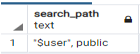
show search_path;Explanation
In the above statement, we show the search path command to see the existing schema. Illustrate the end result of the above declaration by using the following snapshot.
Example #4 – DROP Synonyms
On the other hand, we can DROP synonyms. So let’s see how we can DROP synonyms in PostgreSQL. Suppose users need to delete synonyms at that time and users use the following syntax as follows.
Syntax:
Drop public synonym synonyms name;Explanation
In the above syntax, we use the drop synonym command to delete synonyms. When we want to delete synonyms but two synonyms have the same name at that time we check whether the schema is qualified or not.
Example #5 – Synonym Dictionary
PostgreSQL provides a synonyms dictionary function to the user and it is used to replace words with synonyms. Synonyms dictionary is used to overcome the similar word problem. For example, suppose our schema has two similar words like Paris and Pari. So with the help of a synonyms dictionary, we solve that problem.
Example #6 – Conversion of Oracle synonyms to PostgreSQL
PostgreSQL does not support synonyms. But some users or customers need to migrate to PostgreSQL from Oracle. At that time we had a schema conversion tool. With the help of AWS tools, we can convert Oracle synonyms to PostgreSQL synonyms.
Example #7 – Synonyms package conversion of Oracle to PostgreSQL
AWS is not able to convert the oracle synonyms package to PostgreSQL. So let’s see how we can convert as follows.
CREATE OR REPLACE PACKAGE ORA_PACKAGE AS
TYPE oracle_type IS REC (
name VARCHAR2(512),
amount NUMBER);
TYPE r_ora_type IS TABLE OF oracle_type;
v_pi CONSTANT NUMBER(8) :=2.24;
mini_balance CONSTANT REAL := 1.00;
max_balance CONSTANT REAL := 9.00;
CURSOR cur IS SELECT 'Monday' AS "day" FROM dual;
END ORA_PACKAGE;
So we need to write a script to convert this above package into PostgreSQL as follows.
Script for PostgreSQL Constant
CREATE OR REPLACE FUNCTION
schema_name."s_ora_package$schema_name$ora_package$max_balance$c"()
RETURNS DOUBLE PRECISION
LANGUAGE
AS $function$
BEGIN
RETURN 9.00;
END;
$function$
;
Explanation
In the above example, we convert the Oracle synonyms package in PostgreSQL. The above example is specific for PostgreSQL constant, in the above script we create a function as shown in scripts.
Uses
- PostgreSQL synonyms are used to reference another database object, table, functions, etc.
- The synonyms we also use to hide our original content from users mean it is used for security purposes.
- The synonym is used as an alias or alternate name for a view, table, sequence, function, procedure, etc.
- It also provides backward compatibility for existing objects or schema when you rename them.
Conclusion
We hope from this article you have understood the PostgreSQL synonyms. Actually, PostgreSQL does not support PostgreSQL but it supports Oracle. From the above article, we have learned the basic syntax of synonyms. We have also learned how we can implement them in PostgreSQL with different examples of each operation. We also learned how we can convert Oracle synonyms to PostgreSQL synonyms by using a schema conversion tool. From this article, we have learned how we can handle synonyms in PostgreSQL.
Recommended Articles
We hope that this EDUCBA information on “PostgreSQL Synonyms” was beneficial to you. You can view EDUCBA’s recommended articles for more information.
- PostgreSQL Clustered Index
- PostgreSQL group_concat
- PostgreSQL Limit Offset
- PostgreSQL Float
PostgreSQL does not support SYNOSYM or ALIAS. Synonym is a non SQL 2003 feature implemented by Microsoft SQL 2005 (I think). While it does provide an interesting abstraction, but due to lack of relational integrity, it can be considered a risk.
That is, you can create a synonym, advertise it to you programmers, the code is written around it, including stored procedures, then one day the backend of this synonym (or link or pointer) is changed/deleted/etc leading to a run time error. I don’t even think a prepare would catch that.
It is the same trap as the symbolic links in unix and null pointers in C/C++.
But rather create a DB view and it is already updateable as long as it contains one table select only.
CREATE VIEW schema_name.synonym_name AS SELECT * FROM schema_name.table_name;
Contents
- 1 Can we create synonym in Postgres?
- 2 What is synonyms in PostgreSQL?
- 3 Is PostgreSQL good for production?
- 4 Which big companies use PostgreSQL?
- 5 Is Postgres faster than MySQL?
- 6 Why is Postgres so popular?
- 7 Does Postgres use SQL?
- 8 Is PostgreSQL hard to learn?
- 9 Why do people prefer PostgreSQL?
- 10 Is PostgreSQL the best?
- 11 How long will it take to learn PostgreSQL?
- 12 Can I get a job if I know SQL?
- 13 Is PostgreSQL free to use?
- 14 Is PostgreSQL a virus?
- 15 Is PostgreSQL safe?
- 16 Is MySQL better than PostgreSQL?
- 17 Can Postgres handle big data?
- 18 What is PostgreSQL written in?
- 19 What is the advantage of PostgreSQL?
- 20 What are the pros and cons of PostgreSQL?
- 21 Which is better Oracle or PostgreSQL?
Can we create synonym in Postgres?
Automated conversion of Oracle synonyms to PostgreSQL
PostgreSQL does not support synonyms out of the box.
What is synonyms in PostgreSQL?
A synonym is an alternate name that refers to a database object. A synonym name must be unique within a schema. schema. schema specifies the name of the schema that the synonym resides in. If you do not specify a schema name, the synonym is created in the first existing schema in your search path.
Is PostgreSQL good for production?
PostgreSQL is an amazing relational database. If you are planning to build a large 24/7 operation, the ability to easily operate the database once it is in production becomes a very important factor. In this aspect, PostgreSQL does not hold up very well.
Which big companies use PostgreSQL?
Who uses PostgreSQL?
| Company | Website | Country |
|---|---|---|
| U.S. Security Associates, Inc. | ussecurityassociates.com | United States |
| PROTEGE PARTNERS L L C | protegepartners.com | United States |
| QA Limited | qa.com | United Kingdom |
| Federal Emergency Management Agency | fema.gov | United States |
Is Postgres faster than MySQL?
PostgreSQL is known to be faster while handling massive data sets, complicated queries, and read-write operations. Meanwhile, MySQL is known to be faster with read-only commands.
Why is Postgres so popular?
There are many factors that contribute to PostgreSQL’s popularity, starting with its highly active open source community that, unlike a company-led open source DBMS like MongoDB or MySQL, is not controlled by any single sponsor or company.
Does Postgres use SQL?
PostgreSQL is an advanced object-relational database management system that uses Structured Query Language (SQL) in addition to its own procedural language, PL/pgSQL. It uses a variant of Structured Query Language (SQL) called T-SQL (for Transact-SQL).
Is PostgreSQL hard to learn?
PostgreSQL has very exhaustive and detailed documentation. Although tough on the beginner – it is hard to find an easy entry point – having mastered the first step, you will never run out of information to further your knowledge.
Why do people prefer PostgreSQL?
“PostgreSQL comes with many features aimed to help developers build applications, administrators to protect data integrity and build fault-tolerant environments, and help you manage your data no matter how big or small the dataset. In addition to being free and open source, PostgreSQL is highly extensible.
Is PostgreSQL the best?
PostgreSQL is considered the most advanced and powerful SQL compliant and open-source objective-RDBMS. It has become the first choice for corporations that perform complex and high-volume data operations due to its powerful underlying technology.
How long will it take to learn PostgreSQL?
PostgreSQL Tutorial for Beginners: Learn PSQL in 3 Days.
Can I get a job if I know SQL?
Yes you can. Look for “analyst” jobs. Data Warehousing, ETL development, Database Administration, BI Development – these are all heavy SQL development jobs. SQL will get you a job, but you have to pick up other skills.
Is PostgreSQL free to use?
Q: How is PostgreSQL licenced? A: PostgreSQL is released under the OSI-approved PostgreSQL Licence. There is no fee, even for use in commercial software products.
Is PostgreSQL a virus?
postgres.exe is a legitimate file that is also known by the name of PostgreSQL Server. It is a software component for PostgreSQL. By default, it is located in C:Program Files. Malware programmers create virus files and name them after postgres.exe to spread virus on the internet.
Is PostgreSQL safe?
PostgreSQL generally uses little CPU, RAM or disk I/O unless it’s actually being used for serious work, so it’s fairly safe to ignore it.
Is MySQL better than PostgreSQL?
In the past, Postgres performance was more balanced – reads were generally slower than MySQL, but it was capable of writing large amounts of data more efficiently, and it handled concurrency better. The performance differences between MySQL and Postgres have been largely erased in recent versions.
Can Postgres handle big data?
Relational databases provide the required support and agility to work with big data repositories. PostgreSQL is one of the leading relational database management systems. Designed especially to work with large datasets, Postgres is a perfect match for data science.
What is PostgreSQL written in?
PostgreSQL/Written in
What is the advantage of PostgreSQL?
Advantage of PostGRESQL
PostgreSQL can run dynamic websites and web apps as a LAMP stack option. PostgreSQL’s write-ahead logging makes it a highly fault-tolerant database. PostgreSQL source code is freely available under an open source license.
What are the pros and cons of PostgreSQL?
The advantages and disadvantages of PostgreSQL at a glance
| Advantages | Disadvantages |
|---|---|
| Highly expandable | Expandable documentation only available in English |
| Largely compliant with SQL standard | Comparatively low reading speed |
| Possible to process complex data types (e.g. geographical data) | |
| Flexible full text search |
•
Mar 22, 2019
Which is better Oracle or PostgreSQL?
Oracle database productivity is more due to its technical superiority. Oracle database provides more transactions per second than PostgreSQL. PostgreSQL productivity is less than Oracle database as it provides less number of transactions per second than Oracle DB.
Approach 1:-
Finally i got it working using foreign data wrapper postgres_fdw as below
I have two databases named dba and dbb. dbb has a table users and i need to access it in dba
CREATE SERVER myserver FOREIGN DATA WRAPPER postgres_fdw OPTIONS (host 'localhost', dbname 'dbb', port '5432');


CREATE USER MAPPING FOR postgres
SERVER myserver
OPTIONS (user 'user', password 'password');

CREATE FOREIGN TABLE users (
username char(1))
SERVER myserver
OPTIONS (schema_name 'public', table_name 'users');

CREATE FOREIGN TABLE users (users char(1));
Now i can execute all select/update queries in dba.
Approach 2:-
Can be achieved by creating two schemas in same db, below are the steps:
- create two schemas ex app_schema, common_schema.
-
Grant access:
GRANT CREATE,USAGE ON SCHEMA app_schema TO myuser; GRANT CREATE,USAGE ON SCHEMA common_schema TO myuser; -
Now set search path of user as below
alter user myuser set search_path to app_schema,common_schema;
Now tables in common_schema will be visible to myuser. For example let say we have a table user in common_schema and table app in app_schema then below queries will be running easily:
select * from user;
select * from app;
This is similar to synonyms in oracle.
Note- Above queries will work PostgreSQL 9.5.3+
ЭТА ГЛАВА БУДЕТ ОБСУЖДАТЬ АСПЕКТЫ ЯЗЫКА SQL которые имеют отношение к базе данных как к единому целому, включая использование многочисленных имен для объектов данных, размещение запоминаемых данных, восстановление и сохранение изменений в базе данных а также координирование одновременных действий многочисленных пользователей. Этот материал даст вам возможность конфигурации вашей базы данных, отмены действия ошибок, и определения как действия одного пользователя в базе данных будут влить на действия других пользователей.
ПЕРЕИМЕНОВАНИЕ ТАБЛИЦ
Adrian может создать синоним с именем Clients, для таблицы с именем Diane.Customers, с помощью команды CREATE SYNONYM следующим образом:
CREATE SYNONYM Clients FOR Diane.Customers;
Теперь, Adrian может использовать таблицу с именем Clients в команде точно так же как ее использует Diane.Customers. Синоним Clients — это собственность, используемая исключительно для Adrian.
ПЕРЕИМЕНОВАНИЕ С ТЕМ ЖЕ САМЫМ ИМЕНЕМ
Префикс (прозвище) пользователя — это фактически часть имени любой таблицы. Всякий раз, когда вы не указываете ваше собственное им пользователя вместе с именем вашей собственной таблицы, SQL сам заполняет для вас это место. Следовательно, два одинаковых имени таблицы но связанные с различными владельцами, становятся не идентичными и следовательно не приводят к какому-нибудь беспорядку ( по крайней мере в SQL ). Это означает что два пользователя могут создать две полностью несвязанные таблицы с одинаковыми именами, но это также будет означать, что один пользователь может создать представление основанное на имени другого поля Это иногда делается когда представление, рассматривается как сама таблица — например, если представление просто использует CHECK OPTION как заменитель ограничения CHECK в базовой таблице( смотрите Главу 22 для подробностей ). Вы можете также создавать ваши собственные синонимы, имена которых будут такими же что и первоначальные имена таблиц. Например, Adrian может определить Customers, как свой синоним для таблицы Diane.Customers :
CREATE SYNONYM Customers FOR Diane.Customers;
С точки зрения SQL, теперь имеются два разных имени одной таблицы: Diane.Customers и Adrian.Customers. Однако, каждый из этих пользователей может ссылаться к этой таблице просто как к Customers, SQL как говорилось выше сам добавит к ней недостающие имена пользователей.
ОДНО ИМЯ ДЛЯ КАЖДОГО
Если вы планируете иметь таблицу Заказчиков используемую большим числом пользователей, лучше всего что бы они ссылались к ней с помощью одного и того же имени. Это даст вам возможность, например, использовать это им в вашем внутреннем общении без ограничений. Чтобы создать единое им для всех пользователей, вы создаете общий синоним. Например, если все пользователи будут вызывать таблицу Заказчиков с именем Customers, вы можете ввести
CREATE PUBLIC SYNONYM Customers FOR Customers;
Мы пронимаем, что таблица Заказчиков это ваша собственность, поэтому никакого префикса имени пользователя в этой команды не указывается. В основном, общие синонимы создаются владельцами объектов или привилегированными пользователями, типа DBA. Пользователям кроме того, должны еще быть предоставлены привилегии в таблице Заказчиков чтобы они могли иметь к ней доступ. Даже если им является общим, сама таблица общей не является. Общие синонимы становятся собственными с помощью команды PUBLIC, а не с помощью их создателей.
УДАЛЕНИЕ СИНОНИМОВ
Общие и другие синонимы могут удаляться командой DROP SYNONYM. Синонимы удаляются их владельцами, кроме общих синонимов, которые удаляются соответствующими привилегированными личностями, обычно DBA. Чтобы удалить например синоним Clients, когда вместо него уже появился общий синоним Customers, Adrian может ввести
DROP SYNONYM Clients;
Сама таблица Заказчиков, естественно, становится не эффективной.
КАК БАЗА ДАННЫХ РАСПРЕДЕЛЕНА ДЛЯ ПОЛЬЗОВАТЕЛЕЙ ?
Таблицы и другие объекты данных сохраняются в базе данных и находятся там связанными с определенными пользователями которые ими владеют. В некотором смысле, вы могли бы сказать, что они сохраняются в » именной области пользователя «, хотя это никак не отражает их физического расположения, но зато, как и большинство вещей в SQL, находятся в строгой логической конструкции. Однако, на самом деле, объекты данных сохраняться, в физическом смысле, и количество памяти которое может использоваться определенным объектом или пользователем, в данное врем, имеют свой предел. В конце концов, никакой компьютер не имеет прямого доступа к бесконечному числу аппаратных средств ( диску, ленте, или внутренней памяти) для хранения данных. Кроме того, эффективность SQL расширится если логическая структура данных будет отображаться неким физическим способом при котором эти команды получать преимущество.
В больших SQL системах, база данных будет разделена на области, так называемые Области Базы Данных или Разделы.
Это области сохраняемой информации, которые размещены так, чтобы информация внутри них находилась близко друг к другу для выполнения команд; то есть программа не должна искать где-то далеко информацию, сгруппированную в одиночной области базы данных. Хотя ее физические возможности зависят от аппаратного оборудования, целесообразно чтобы команда работала в этих областях внутри самой SQL. Системы которые используют области базы данных ( в дальнейшем называемых — DBS (Data Base Spaces)), позволяют вам с помощью команд SQL обрабатывать эти области как объекты.
DBS создаются командами CREATE DBSPACE (СОЗДАТЬ DBS), ACQUIRE DBSPACE(ПОЛУЧИТЬ DBS) или CREATE TABLE-SPACE (СОЗДАТЬ ТАБЛИЧНУЮ ОБЛАСТЬ), в зависимости от используемой реализации. Одна DBS может вмещать любое число пользователей, и отдельный пользователь может иметь доступ к многим DBS. Привилегия создавать таблицы, хотя и может быть передана по всей базу данных, часто передается в конкретной DBS. Мы можем создать DBS с именем Sampletables, следующей командой:
           CREATE DBSPACE Sampletables
              ( pctindex 10,
                pctfree  25);
Параметр pctindex определяет какой процент DBS должен быть оставлен, чтобы сохранять в нем индексы таблиц. Pctfree — это процент DBS который оставлен чтобы позволить таблицам расширять размеры их строк (ALTER TABLE может добавлять столбцы или увеличивать размер столбцов, дела каждую строку длиннее. Это — расширение памяти отводимой для этого). Имеются также другие параметры которые вы также можете определять, и которые меняются от программы к программе. Большинство программ автоматически будут обеспечивать значения по умолчанию, поэтому вы можете создавать DBS не определяя эти параметры. DBS может иметь или определенное ограничение размера, или ей может быть позволено расти неограниченно вместе с таблицами. Если DBS создалась, пользователям предоставляются права создавать в ней объекты. Вы можете например предоставить Diane право создать таблицу Sampletables с помощью следующей команды:
GRANT RESOURCE ON Sampletables TO Diane;
Это даст вам возможность более конкретно определять место хранения данных. Первый DBS назначаемый данному пользователю — обычно тот, где все объекты этого пользователя создаются по умолчанию. Пользователи имеющие доступ к многочисленным DBS могут определить, где они хотят разместить определенный объект. При разделении вашей базы данных на DBSы, вы должны иметь в виду типы операций, которые вы будете часто выполнять. Таблицы которые, как вам уже известно, будут часто объединяться, или которые имеют одну таблицу ссылающуюся на другую во внешнем ключе, должны находиться вместе в одной DBS.
Например, вы могли бы сообщить при назначении типовых таблиц, что таблица Порядков будет часто объединяться с одной или обеими из двух других таблиц,, так как таблица Порядков использует значения из обеих этих таблиц. При прочих равных условиях, эти три таблицы должны входить в ту же самую область DBS, независимо от того, кто их владелец. Возможное присутствие ограничения внешнего ключа в таблице Порядков, просто приведет к более строгому совместному использованию области DBS.
КОГДА СДЕЛАННЫЕ ИЗМЕНЕНИЯ СТАНОВЯТСЯ ПОСТОЯННЫМИ ?
Визуально, среда базы данных, это картина которая постоянно отображает для существующих пользователей, постоянно вводимые и изменяемые данные, допуская, что если система правильно разработана, она будет функционировать без сбоев. Однако реально, благодаря человеческим или компьютерным сбоям, ошибки время от времени случаются, и поэтому хорошие компьютерные программы стали применять способы отмены действий вызвавших такие ошибки. Команда SQL, которая воздействует на содержание или структуру базы данных — например команда модификации DML или команда DROP TABLE, — не обязательно будет необратимой. Вы можете определить после окончания ее действия, останутся ли изменения сделанные данной командой или группой команд постоянными в базы данных, или они будут полностью проигнорированы. С этой целью, команды обрабатываются группами, называемыми — транзакциями. Транзакция начинается всякий раз, когда вы начинаете сеанс с SQL. Все команды которые вы введете будут частью этой транзакции, пока вы не завершите их вводом команды COMMIT WORK или команды ROLLBACK WORK. COMMIT может сделать все изменения постоянными с помощью транзакции, а ROLLBACK может откатить их обратно или отменить. Новая транзакция начинается после каждой команды COMMIT или ROLLBACK. Этот процесс известен как диалоговая обработка запросов или транзакция. Синтаксис, чтобы оставить все ваши изменения постоянными во время регистрации, или во время последнего COMMIT или ROLLBACK
COMMIT WORK;
Синтаксис отмены изменения:
ROLLBACK WORK;
В большинстве реализаций, вы можете установить параметр, называемый AUTOCOMMIT. Он будет автоматически запоминать все действия которые будут выполняться. Действия которые приведут к ошибке, всегда будут автоматически «прокручены» обратно. Если это предусмотрено в вашей системе, для фиксации всех ваших действий, вы можете использовать эту возможность с помощью команды типа:
SET AUTOCOMMIT ON;
Вы можете вернуться к обычной диалоговой обработке запросов с помощью такой команды:
SET AUTOCOMMIT OFF;
Имеется возможность установки AUTOCOMMIT которую система выполнит автоматически при регистрации. Если сеанс пользователя завершается аварийно — например, произошел сбой системы или выполнена перезагрузка пользователя, — то текущая транзакция выполнит автоматический откат изменений. Это — одна из причин, по которой вы можете управлять выполнением вашей диалоговой обработки запросов, разделив ваши команды на большое количество различных транзакций. Одиночная транзакция не должна содержать много несвязанных команд; фактически, она может состоять из единственной команды. Транзакции которые включают всю группу несвязанных изменений не оставляют вам фактически никакого выбора сохранить или отклонить целую группу, если вы хотите отменить только одно определенное изменение. Хорошим правилом которому надо следовать, это делать ваши транзакции состоящими из одной команды или нескольких близко связанных команд. Например, предположим вы хотите удалить продавца Motika из базы данных. Прежде, чем вы удалите его из таблицы Продавцов, вы сначала должны сделать что-нибудь с его порядками и его заказчиками. ( Если используются ограничения внешнего ключа, и ваша система, следу ANSI, ограничивает изменение родительского ключа, у вас не будет выбора делать или не делать этого. Это будет сделано обязательно.)
Одно из логических решений, будет состоять в том, чтобы установить поле snum в его порядках в NULL, в следствии чего ни один продавец не получит комиссионные в этих порядках, пока комиссионные не будут предоставлены заказчикам для Peel. Затем вы можете удалить их из таблицы Продавцов:
             UPDATE Orders
                SET snum = NULL
                WHERE snum = 1004;

             UPDATE Cudomers
                SET snum = 1001
                WHERE snum = 1004;

             DELETE FROM Salespeople
                WHERE snum = 1004;
Если у вас проблема с удалением Motika ( возможно имеется другой
внешний ключ ссылающийся на него о котором вы не знали и не учитывали ), вы могли бы отменить все изменения которые вы сделали, до тех пор пока проблема не будет определена и решена.
Более того, это должна быть группа команд, чтобы обрабатывать ее как одиночную транзакцию. Вы можете предусмотреть это с помощью команды COMMIT, и завершить ее с помощью команды COMMIT или ROLLBACK.
КАК SQL ОБЩАЕТСЯ СРАЗУ СО МНОГИМИ ПОЛЬЗОВАТЕЛЯМИ
SQL часто используется в многопользовательских средах — в средах, где сразу много пользователей могут выполнять действия в базе данных одновременно. Это создает потенциальную возможность конфликта между различными выполняемыми действиями. Например, предположим что вы
выполняете команду в таблице Продавцов :
          UPDATE Salespeople
             SET comm = comm * 2
             WHERE sname LIKE 'R%';
и в это же время, Diane вводит такой запрос:
           SELECT city, AVG (comm)
              FROM Salespeople
              GROUP BY city;
Может ли усредненное значение(AVG) Diane отразить изменения которые вы делаете в таблице? Не важно, будет это сделано или нет, а важно что бы были отражены или все или ни одно из значений комиссионных (comm) для которых выполнялись изменения. Любой промежуточный результат является случайным или непредсказуемым, для порядка в котором значения были изменены физически. Вывод запроса, не должен быть случайным и непредсказуемым. Посмотрим на это с другой стороны. Предположим, что вы находите ошибку и прокручиваете обратно все ваши модификации уже после того, как Diane получила их результаты в виде вывода. В этом случае Diane получит ряд усредненных значений основанных на тех изменениях которые были позже отменены, не зная что ее информации неточна. Обработка одновременных транзакций называется — параллелизмом или совпадением, и имеет номера возможных проблем которые могут при этом возникать. Имеются следующие примеры:
- Модификация может быть сделана без учета другой модификации. Например, продавец должен сделать запрос к таблице инвентаризации, чтобы найти десять фрагментов пунктов торговцев акциями, и упорядочить шесть из их для заказчика. Прежде, чем это изменение было сделано, другой продавец делает запрос к таблице и упорядочивает семь из тех же фрагментов для своего заказчика.
ПРИМЕЧАНИЕ: Термин «упорядочить», аналогичен общепринятому — «заказать», что
в принципе более соответствует логике запроса, потому что с точки зрения
пользователя, он именно «заказывает» информацию в базе данных, которая
упорядочивает эту информацию в соответствии с «заказом».
- Изменения в базе данных могут быть прокручены обратно уже после того, как их действия уже были закончены. Например если Вы отменили вашу ошибку уже после того, как Diane получила свой вывод.
- Одно действие может воздействовать частично на результат другого действия. Например когда Diane получает среднее от значений в то врем как вы выполняете модификацию этих значений. Хотя это не всегда проблематично, в большинстве случаев действие такое же как если бы агрегаты должны были отразить состояние базы данных в пункте относительной стабильности. Например в ревизионных книгах, должна быть возможность вернуться назад и найти это существующее усредненное значение для Diane в некоторой временной точке, и оставить его без изменений которые можно было бы сделаны начиная уже с этого места. Это будет невозможно сделать, если модификация была выполнена во время вычисления функции.
- Тупик. Два пользователя могут попытаться выполнить действия которые конфликтуют друг с другом. Например, если два пользователя попробуют изменить и значение внешнего ключа и значение родительского ключа одновременно.
Имеется много сложнейших сценариев которые нужно было бы последовательно просматривать, если бы одновременные транзакции были неуправляемыми. К счастью, SQL обеспечивает вас средством управления параллелизмом для точного указания места получения результата. Что ANSI указывает для управления параллелизмом — это что все одновременные команды будут выполняться по принципу — ни одна команда не должна быть выдана, пока предыдущая не будет завершена (включая команды COMMIT или ROLLBACK ).
Более точно, нужно просто не позволить таблице быть доступной более чем для одной транзакции в данный момент времени. Однако в большинстве ситуаций, необходимость иметь базу данных доступную сразу многим пользователям, приводит к некоторому компромиссу в управлении параллелизмом. Некоторые реализации SQL предлагают пользователям выбор, позволяя им самим находить золотую середину между согласованностью данных и доступностью к базе данных. Этот выбор доступен пользователю, DBA, или тому и другому. На самом деле они осуществляют это управление вне SQL, даже если и воздействуют на процесс работы самой SQL.
Механизм используемый SQL для управления параллелизмом операций, называется — блокировкой. Блокировки задерживают определенные операции в базе данных, пока другие операции или транзакции не завершены. Задержанные операции выстраиваются в очередь и выполняются только когда блокировка снята ( некоторые инструменты блокировок дают вам возможность указывать NOWAIT, которая будет отклонять команду вместо того чтобы поставить ее в очередь, позволяя вам делать что-нибудь другое).
Блокировки в многопользовательских системах необходимы. Следовательно, должен быть некий тип схемы блокировки по умолчанию, который мог бы применяться ко всем командам в базе данных. Такая схема по умолчанию, может быть определена для всей базы данных, или в качестве параметра в команде CREATE DBSPACE или команде ALTER DBSPACE, и таким образом использовать их по разному в различных DBS. Кроме того, системы обычно обеспечиваются неким типом обнаружителя зависания, который может обнаруживать ситуации, где две операции имеют блокировки, блокирующие друг друга. В этом случае, одна из команд будет прокручена обратно и получит сброс блокировки. Так как терминология и специфика схем блокировок меняются от программы к программе, мы можем смоделировать наши рассуждения на примере программы базы данных DB2 фирмы IBM. IBM — лидер в этой области (как впрочем и во многих других ), и поэтому такой подход наиболее удобен. С другой стороны, некоторые реализации могут иметь значительные различи в синтаксисе и в функциях, но в основном их действия должно быть очень похожими.
ТИПЫ БЛОКИРОВОК
- Имеется два базовых типа блокировок:
- распределяемые блокировки и
- специальные блокировки.
Распределяемые ( или S-блокировки ) могут быть установлены более чем одним пользователем в данный момент времени. Это дает возможность любому числу пользователей обращаться к данным, но не изменять их. Специальные блокировки ( или X-блокировки ) не позволяют никому вообще, кроме владельца этой блокировки обращаться к данным. Специальные блокировки используются для команд которые изменяют содержание или структуру таблицы. Они действуют до конца транзакции. Общие блокировки используются для запросов. Насколько они продолжительны зависит фактически от уровня изоляции. Что такое уровень изоляции блокировки? Это — то, что определяет, сколько таблиц будет блокировано. В DB2, имеется три уровня изоляции, два из которых можно применить и к распределенным и к специальным блокировкам, а третий, ограниченный, чтобы использовать эти блокировки совместно. Они управляются командами поданными извне SQL, так что мы можем обсуждать не указывая их точного синтаксиса. Точный синтаксис команд связанных с блокировками — различен для различных реализаций. Следующее обсуждение полезно прежде всего на концептуальном уровне.
Уровень изоляции — повторное чтение — гарантирует, что внутри данной транзакции, все записи извлеченные с помощью запросов, не могут быть изменены. Поскольку записи модифицируемые в транзакции являются субъектами специальной блокировки, пока транзакция не завершена, они не могут быть изменены в любом случае. С другой стороны для запросов, повторное чтение означает, что вы можете решить заранее, какие строки вы хотите заблокировать и выполнить запрос который их выберет. Выполняя запроса, вы гарантированы, что никакие изменения не будут сделаны в этих строках, до тех пор пока вы не завершите текущую транзакцию. В то время как повторное чтение защищает пользователя, который поместил блокировку, она может в то же время значительно снизить производительность. Уровень указатель стабильности — предохраняет каждую запись от изменений, на время когда она читается или от чтения на врем ее изменения. Последний случай это специальна блокировка, и применяется пока изменение не завершено или пока оно не отменено( т.е. на время отката изменения ). Следовательно, когда вы модифицируете группу записей использующих указатель стабильности, эти записи будут заблокированы пока транзакция не закончится, что аналогично действию производимому уровнем повторное чтение. Различие между этими двум уровнями в их воздействии на запросы. В случае уровня указатель стабильности, строки таблицы которые в данное время не используются запросом, могут быть изменены. Третий уровень изоляции DB2 — это уровень только чтение. Только чтение фиксирует фрагмент данных; хотя на самом деле он блокирует всю таблицу. Следовательно, он не может использоваться с командами модификации. Любое содержание таблицы как единое целое, в момент выполнения команды, будет отражено в выводе запроса. Это не обязательно так как в случае с уровнем указатель стабильности. Блокировка только чтение, гарантирует что ваш вывод будет внутренне согласован, если конечно нет необходимости во второй блокировке, не связывающей большую часть таблицы с уровнем повторное чтение. Блокировка только чтение удобна тогда, когда вы делаете отчеты, которые должны быть внутренне согласованны, и позволять доступ к большинству или ко всем строкам таблицы, не связывая базу данных.
ДРУГИЕ СПОСОБЫ БЛОКИРОВКИ ДАННЫХ
Некоторые реализации выполняют блокировку страницы вместо блокировки строки. Это может быть либо возможностью для вашего управления либо нечто заложенным уже в конструкцию системы.
Страница — это блок накопления памяти, обычно равный 1024 байт. Страница может состоять из одной или более строк таблицы, возможно сопровождаемых индексами и другой периферийной информацией, а может состоять даже из нескольких строк другой таблицы. Если вы блокируете страницы вместо строк, все данные в этих страницах будут блокированы точно также как и в индивидуальных строках, согласно уровням изоляции описанным выше. Основным преимуществом такого подхода является эффективность. Когда SQL не следит за блокированностью и разблокированностью строк индивидуально, он работает быстрее. С другой стороны, язык SQL был разработан так чтобы максимизировать свои возможности, и произвольно блокирует строки которые необязательно было блокировать. Похожа возможность, доступна в некоторых системах — это блокировка областей DBS. Области базы данных имеют тенденцию быть больше чем страница, так что этот подход удовлетворяет и достоинству увеличения производительности и недостатку блокирования страниц. Вообще то лучше отключать блокировку низкого уровня если вам кажется что появились значительные проблемы с эффективностью.
РЕЗЮМЕ
- Ключевые определения, с которыми вы познакомились в этой главе:
- Синонимы, или как создавать новые имена для объектов данных.
- Области базы данных (DBS), или как распределяется доступна память в базе данных.
- Транзакция, или как сохранять или восстанавливать изменения в базе данных.
- Управление Параллелизмом, или как SQL предохраняет от конфликта одной команды с другой.
Синонимы — это объекты, в том смысле, что они имеют имена и (иногда) владельцев, но естественно они не могут существовать без таблицы, чье им они замещают. Они могут быть общими и следовательно доступными каждому кто имеет доступ к объекту, или они могут принадлежать определенному пользователю.
Области DBS или просто DBS — это подразделы базы данных, которые распределены для пользователей. Связанные таблицы, ( например таблицы, которые будут часто объединяться,) лучше хранить в общей для них DBS.
СOMMIT и ROLLBACK-это команды, используемые для выполнения изменений в базе данных, в то врем когда предыдущая команда COMMIT или команда ROLLBACK, начинают сеанс и оставляют изменения , или игнорируют их как группу.
Средство Управление Параллелизмом — определяет в какой степени одновременно поданные команды будут мешать друг другу. Оно является адаптируемым средством, находящим компромисс между производительностью базы данных и изоляцией действующих команд.
РАБОТА С SQL
- Создайте область базы данных с именем Myspace которая выделяет 15 процентов своей области для индексов, и 40 процентов на расширение строк.
- Вы получили право SELECT в таблице Порядков продавца Diane. Введите команду так чтобы вы могли ссылаться к этой таблице как к «Orders» не используя им «Diane» в качестве префикса.
- Если произойдет сбой питания, что случится с всеми изменениями сделанными во врем текущей транзакции ?
- Если вы не можете видеть строку из-за ее блокировки, какой это тип блокировки ?
- Если вы хотите получить общее, максимальное, и усредненное значения сумм приобретений для всех порядков, и не хотите при этом запрещать другим пользоваться таблицей, какой уровень изоляции будет этому соответствовать ?
( См. Приложение A для ответов. )
In 2006 Microsoft conducted a customer survey to find what new features users want in new versions of Microsoft Office. To their surprise, more than 90% of what users asked for already existed, they just didn’t know about it. To address the «discoverability» issue, they came up with the «Ribbon UI» that we know from Microsoft Office products today.
Office is not unique in this sense. Most of us are not aware of all the features in tools we use on a daily basis, especially if it’s big and extensive like PostgreSQL. With PostgreSQL 14 released just a few weeks ago, what a better opportunity to shed a light on some lesser known features that already exist in PostgreSQL, but you may not know.
In this article I present lesser known features of PostgreSQL.
Table of Contents
- Get the Number of Updated and Inserted Rows in an Upsert
- Grant Permissions on Specific Columns
- Match Against Multiple Patterns
- Find the Current Value of a Sequence Without Advancing It
- Use copy With Multi-line SQL
- Prevent Setting the Value of an Auto Generated Key
- Two More Ways to Produce a Pivot Table
- Dollar Quoting
- Comment on Database Objects
- Keep a Separate History File Per Database
- Autocomplete Reserved Words in Uppercase
- Sleep for Interval
- Get the First or Last Row in a Group Without Sub-Queries
- Generate UUID Without Extensions
- Generate Reproducible Random Data
- Add Constraints Without Validating Immediately
- Synonyms in PostgreSQL
- Find Overlapping Ranges
Get the Number of Updated and Inserted Rows in an Upsert
INSERT ON CONFLICT, also known as «merge» (in Oracle) or «upsert» (a mashup of UPDATE and INSERT), is a very useful command, especially in ETL processes. Using the ON CONFLICT clause of an INSERT statement, you can tell the database what to do when a collision is detected in one or more key columns.
For example, here is a query to sync data in an employees table:
db=# WITH new_employees AS (
    SELECT * FROM (VALUES
        ('George', 'Sales',    'Manager',   1000),
        ('Jane',   'R&D',      'Developer', 1200)
    ) AS t(
         name,      department, role,       salary
    )
)
INSERT INTO employees (name, department, role, salary)
SELECT name, department, role, salary
FROM new_employees
ON CONFLICT (name) DO UPDATE SET
    department = EXCLUDED.department,
    role = EXCLUDED.role,
    salary = EXCLUDED.salary
RETURNING *;

  name  │ department │   role    │ salary
────────┼────────────┼───────────┼────────
 George │ Sales      │ Manager   │   1000
 Jane   │ R&D        │ Developer │   1200
INSERT 0 2
The query inserts new employee data to the table. If there is an attempt to add an employee with a name that already exists, the query will update that row instead.
You can see from the output of the command above, INSERT 0 2, that two employees were affected. But how many were inserted, and how many were updated? The output is not giving us any clue!
While I was looking for a way to improve the logging of some ETL process that used such query, I stumbled upon this Stack Overflow answer that suggested a pretty clever solution to this exact problem:
db=# WITH new_employees AS (
    SELECT * FROM (VALUES
        ('George', 'Sales',    'Manager',   1000),
        ('Jane',   'R&D',      'Developer', 1200)
    ) AS t(
         name,      department, role,       salary
    )
)
INSERT INTO employees (name, department, role, salary)
SELECT name, department, role, salary
FROM new_employees
ON CONFLICT (name) DO UPDATE SET
    department = EXCLUDED.department,
    role = EXCLUDED.role,
    salary = EXCLUDED.salary
RETURNING *, (xmax = 0) AS inserted;

  name  │ department │   role    │ salary │ inserted
────────┼────────────┼───────────┼────────┼──────────
 Jane   │ R&D        │ Developer │   1200 │ t
 George │ Sales      │ Manager   │   1000 │ f
INSERT 0 2
Notice the difference in the RETUNING clause. It includes the calculated field inserted that uses the special column xmax to determine how many rows were inserted. From the data returned by the command, you can spot that a new row was inserted for «Jane», but «George» was already in the table, so the row was updated.
The xmax column is a special system column:
The identity (transaction ID) of the deleting transaction, or zero for an undeleted row version.
In PostgreSQL, when a row is updated, the previous version is deleted, and xmax holds the ID of the deleting transaction. When the row is inserted, no previous row is deleted, so xmax is zero. This «trick» is cleverly using this behavior to distinguish between updated and inserted rows.
Grant Permissions on Specific Columns
Say you have a users table that contain sensitive information such as credentials, passwords or PII:
db=# CREATE TABLE users (
    id INT,
    username VARCHAR(20),
    personal_id VARCHAR(10),
    password_hash VARCHAR(256)
);
CREATE TABLE

db=# INSERT INTO users VALUES (1, 'haki', '12222227', 'super-secret-hash');
INSERT 1 0
The table is used by different people in your organization, such as analysts, to access data and produce ad-hoc reports. To allow access to analysts, you add a special user in the database:
db=# CREATE USER analyst;
CREATE USER

db=# GRANT SELECT ON users TO analyst;
GRANT
The user analyst can now access the users table:
db=# connect db analyst
You are now connected to database "db" as user "analyst".

db=> SELECT * FROM users;
 id │ username │ personal_id │   password_hash
────┼──────────┼─────────────┼───────────────────
  1 │ haki     │ 12222227    │ super-secret-hash
As mentioned previously, analysts access users data to produce reports and conduct analysis, but they should not have access to sensitive information or PII.
To provide granular control over which data a user can access in a table, PostgreSQL allows you to grant permissions only on specific columns of a table:
db=# connect db postgres
You are now connected to database "db" as user "postgres".

db=# REVOKE SELECT ON users FROM analyst;
REVOKE

db=# GRANT SELECT (id, username) ON users TO analyst;
GRANT
After revoking the existing select permission on the table, you granted analyst select permission only on the id and username columns. Now, analyst can no longer access these columns:
db=# connect db analyst
You are now connected to database "db" as user "analyst".

db=> SELECT * FROM users;
ERROR:  permission denied for table users

db=> SELECT id, username, personal_id FROM users;
ERROR:  permission denied for table users

db=> SELECT id, username FROM users;
 id │ username
────┼──────────
  1 │ haki
Notice that when the user analyst attempts to access any of the restricted columns, either explicitly or implicitly using *, they get a «permission denied» error.
Match Against Multiple Patterns
It’s not uncommon to use pattern matching in SQL. For example, here is a query to find users with a «gmail.com» email account:
SELECT *
FROM users
WHERE email LIKE '%@gmail.com';
This query uses the wildcard ‘%’ to find users with emails that end with «@gmail.com». What if, for example, in the same query you also want to find users with a «yahoo.com» email account?
SELECT *
FROM users
WHERE
    email LIKE '%@gmail.com'
    OR email LIKE '%@yahoo.com'
To match against either one of these patterns, you can construct an OR condition. In PostgreSQL however, there is another way to match against multiple patterns:
SELECT *
FROM users
WHERE email SIMILAR TO '%@gmail.com|%@yahoo.com'
Using SIMILAR TO you can match against multiple patterns and keep the query simple.
Another way to match against multiple patterns is using regexp:
SELECT *
FROM users
WHERE email ~ '@gmail.com$|@yahoo.com$'
When using regexp you need to take be a bit more cautious. A period «.» will match anything, so to match the period «.» in gmail.com or yahoo.com, you need to add the escape character «.«.
When I posted this on twitter I got some interesting responses. One comment from the official account of psycopg, a PostgreSQL driver for Python, suggested another way:
SELECT *
FROM users
WHERE email ~ ANY(ARRAY['@gmail.com$', '@yahoo.com$'])
This query uses the ANY operator to match against an array of patterns. If an email matches any of the patterns, the condition will be true. This approach is easier to work with from a host language such as Python:
with connection.cursor() as cursor:
    cursor.execute('''
        SELECT *
        FROM users
        WHERE email ~ ANY(ARRAY%(patterns)s)
    ''' % {
        'patterns': [
            '@gmail.com$',
            '@yahoo.com$',
        ],
    })
Unlike the previous approach that used SIMILAR TO, using ANY you can bind a list of patterns to the variable.
Find the Current Value of a Sequence Without Advancing It
If you ever needed to find the current value of a sequence, your first attempt was most likely using currval:
db=# SELECT currval('sale_id_seq');
ERROR:  currval of sequence "sale_id_seq" is not yet defined in this session
Just like me, you probably found that currval only works if the sequence was defined or used in the current session. Advancing a sequence for no good reason is usually not something you want to do, so this is not an acceptable solution.
In PostgreSQL 10 the view pg_sequences was added to provide easy access to information about sequences:
db=# SELECT * FROM pg_sequences WHERE sequencename = 'sale_id_seq';
─[ RECORD 1 ]─┬────────────
schemaname    │ public
sequencename  │ sale_id_seq
sequenceowner │ db
data_type     │ integer
start_value   │ 1
min_value     │ 1
max_value     │ 2147483647
increment_by  │ 1
cycle         │ f
cache_size    │ 1
last_value    │ 155
This table can answer your question, but it’s not really a «lesser known feature», it’s just another table in the information schema.
Another way to get the current value of a sequence is using the undocumented function pg_sequence_last_value:
db=# SELECT pg_sequence_last_value('sale_id_seq');
 pg_sequence_last_value
────────────────────────
                   155
It’s not clear why this function is not documented, but I couldn’t find any mention of it in the official documentation. Take that under consideration if you decide to use it.
Another interesting thing I found while I was researching this, is that you can query a sequence, just like you would a table:
db=# SELECT * FROM sale_id_seq;

 last_value │ log_cnt │ is_called
────────────┼─────────┼───────────
        155 │      10 │ t
This really makes you wonder what other types of objects you can query in PostgreSQL, and what you’ll get in return.
It’s important to note that this feature should not be used for anything except getting a cursory look at a sequence. You should not try to update ID’s based on values from this output, for that you should use nextval.
Use copy With Multi-line SQL
If you work with psql a lot you probably use COPY very often to export data from the database. I know I do. One of the most annoying things about COPY is that it does not allow multi-line queries:
db=# COPY (
copy: parse error at end of line
When you try to add a new line to a copy command you get this error message.
To overcome this restriction, my first idea was to use a view:
db=# CREATE VIEW v_department_dbas AS
    SELECT department, count(*) AS employees
    FROM emp
    WHERE role = 'dba'
    GROUP BY department
    ORDER BY employees;
CREATE VIEW

db=# COPY (SELECT * FROM v_department_dbas) TO department_dbas.csv WITH CSV HEADER;
COPY 5

db=# DROP VIEW v_department_dbas;
DROP VIEW;
This works, but if something fails in the middle it can leave views laying around. I like to keep my schema tidy, so I looked for a way to automatically cleanup after me. A quick search brought up temporary views:
db=# CREATE TEMPORARY VIEW v_department_dbas AS # ...
CREATE VIEW

db=# COPY (SELECT * FROM v_department_dbas) TO department_dbas.csv WITH CSV HEADER;
COPY 5
Using temporary views I no longer had to cleanup after myself, because temporary views are automatically dropped when the session terminates.
I used temporary views for a while, until I struck this little gem in the psql documentation:
db=# COPY (
    SELECT department, count(*) AS employees
    FROM emp
    WHERE role = 'dba'
    GROUP BY department
    ORDER BY employees
) TO STDOUT WITH CSV HEADER g department_dbas.csv
COPY 5
Nice, right? Let’s break it down:
-
Use
COPYinstead ofCOPY: theCOPYcommand is a server command executed in the server, andCOPYis a psql command with the same interface. So whileCOPYdoes not support multi-line queries,COPYdoes! -
Write results to STDOUT: Using
COPYwe can write results to a directory on the server, or write results to the standard output, usingTO STDOUT. -
Use
gto write STDOUT to local file: Finally, psql provides a command to write the output from standard output to a file.
Combining these three features did exactly what I wanted.
Prevent Setting the Value of an Auto Generated Key
If you are using auto generated primary keys in PostgreSQL, it’s possible you are still using the SERIAL datatype:
CREATE TABLE sale (
    id SERIAL PRIMARY KEY,
    sold_at TIMESTAMPTZ,
    amount INT
);
Behind the scenes, PostgreSQL creates a sequence to use when rows are added:
db=# INSERT INTO sale (sold_at, amount) VALUES (now(), 1000);
INSERT 0 1

db=# SELECT * FROM sale;
 id │           sold_at             │ amount
────┼───────────────────────────────┼────────
  1 │ 2021-09-25 10:06:56.646298+03 │   1000
The SERIAL data type is unique to PostgreSQL and has some known problems, so starting at version 10, the SERIAL datatype was softly deprecated in favor of identity columns:
CREATE TABLE sale (
    id INT GENERATED BY DEFAULT AS IDENTITY PRIMARY KEY,
    sold_at TIMESTAMPTZ,
    amount INT
);
Identity columns work very similar to the SERIAL data type:
db=# INSERT INTO sale (sold_at, amount) VALUES (now(), 1000);
INSERT 0 1

db=# SELECT * FROM sale;
 id │           sold_at             │ amount
────┼───────────────────────────────┼────────
  1 │ 2021-09-25 10:11:57.771121+03 │   1000
But, consider this scenario:
db=# INSERT INTO sale (id, sold_at, amount) VALUES (2, now(), 1000);
INSERT 0 1

db=# INSERT INTO sale (sold_at, amount) VALUES (now(), 1000);
ERROR:  duplicate key value violates unique constraint "sale_pkey"
DETAIL:  Key (id)=(2) already exists.
Why did it fail?
- The first
INSERTcommand explicitly provides the value 2 of theidcolumn, so the sequence was not used. - The second
INSERTcommand does not provide a value forid, so the sequence is used. The next value of the sequence happened to be 2, so the command failed with a unique constraint violation.
Auto-incrementing IDs rarely need to be set manually, and doing so can cause a mess. So how can you prevent users from setting them?
CREATE TABLE sale (
    id INT GENERATED ALWAYS AS IDENTITY PRIMARY KEY,
    sold_at TIMESTAMPTZ,
    amount INT
);
Instead of using GENERATED BY DEFAULT, use GENERATED ALWAYS. To understand the difference, try the same scenario again:
db=# INSERT INTO sale (sold_at, amount) VALUES (now(), 1000);
INSERT 0 1

db=# INSERT INTO sale (id, sold_at, amount) VALUES (2, now(), 1000);
ERROR:  cannot insert into column "id"
DETAIL:  Column "id" is an identity column defined as GENERATED ALWAYS.
HINT:  Use OVERRIDING SYSTEM VALUE to override.
What changed?
- The first
INSERTdoes not provide a value foridand completes successfully. - The second
INSERTcommand however, attempts to set the value 2 foridand fails!
In the error message, PostgreSQL is kind enough to offer a solution for when you actually do want to set the value for an identity column explicitly:
db=# INSERT INTO sale (id, sold_at, amount)
OVERRIDING SYSTEM VALUE VALUES (2, now(), 1000);

INSERT 0 1
By adding the OVERRIDING SYSTEM VALUE to the INSERT command you explicitly instruct PostgreSQL to allow you to set the value of an identity column. You still have to handle a possible unique constraint violation, but you can no longer blame PostgreSQL for it!
Two More Ways to Produce a Pivot Table
In one of my previous articles I demonstrated how to produce pivot tables using conditional aggregates. After writing the article, I found two more ways to generate pivot tables in PostgreSQL.
Say you want to get the number of employees, at each role, in each department:
db=# WITH employees AS (
    SELECT * FROM (VALUES
        ('Haki',    'R&D',      'Manager'),
        ('Dan',     'R&D',      'Developer'),
        ('Jax',     'R&D',      'Developer'),
        ('George',  'Sales',    'Manager'),
        ('Bill',    'Sales',    'Developer'),
        ('David',   'Sales',    'Developer')
    ) AS t(
        name,       department,  role
    )
)
SELECT role, department, count(*)
FROM employees
GROUP BY role, department;

   role    │ department │ count
───────────┼────────────┼───────
 Developer │ Sales      │     2
 Manager   │ Sales      │     1
 Manager   │ R&D        │     1
 Developer │ R&D        │     2
A better way of viewing this would be as a pivot table. In psql you can use the crosstabview command to transform the results of the last query to a pivot table:
db=# crosstabview

   role    │ Sales │ R&D
───────────┼───────┼─────
 Developer │     2 │   2
 Manager   │     1 │   1
Magic!
By default, the command will produce the pivot table from the first two columns, but you can control that with arguments:
db=# crosstabview department role

 department │ Developer │ Manager
────────────┼───────────┼─────────
 Sales      │         2 │       1
 R&D        │         2 │       1
Another, slightly less magical way to produce a pivot table is using the built-in tablefunc extension:
db=# CREATE EXTENSION tablefunc;
CREATE EXTENSION

db=# SELECT * FROM crosstab('
    SELECT role, department, count(*) AS employees
    FROM employees
    GROUP BY 1, 2
    ORDER BY role
', '
    SELECT DISTINCT department
    FROM employees
    ORDER BY 1
') AS t(role text, sales int, rnd int);

   role    │ sales │ rnd
───────────┼───────┼─────
 Developer │     2 │   2
 Manager   │     1 │   1
Using the function crosstab you can produce a pivot table. The downside of this method is that you need to define the output columns in advance. The advantage however, is that the crosstab function produces a table, which you can use as a sub-query for further processing.
Dollar Quoting
If you store text fields in your database, especially entire paragraphs, you are probably familiar with escape characters. For example, to include a single quote ' in a text literal you need to escape it using another single quote '':
db=# SELECT 'John''s Pizza';
   ?column?
──────────────
 John's Pizza
When text starts to get bigger, and include characters like backslashes and new lines, it can get pretty annoying to add escape characters. To address this, PostgreSQL provides another way to write string constants:
db=# SELECT $$a long
string with new lines
and 'single quotes'
and "double quotes

PostgreSQL doesn't mind ;)$$ AS text;
           text
───────────────────────────
 a long                   ↵
 string with new lines    ↵
 and 'single quotes'      ↵
 and "double quotes       ↵
                          ↵
 PostgreSQL doesn't mind ;)
Notice the dollar signs $$ at the beginning and end of the string. Anything in between $$ is treated as a string. PostgreSQL calls this «Dollar Quoting».
But there is more, if you happen to need to use the sign $$ in the text, you can add a tag, which makes this even more useful. For example:
db=# SELECT $JSON${
    "name": "John's Pizza",
    "tagline": "Best value for your $$"
}$JSON$ AS json;

                  json
─────────────────────────────────────────
 {                                      ↵
     "name": "John's Pizza",            ↵
     "tagline": "Best value for your $$"↵
 }
Notice that we choose to tag this block with $JSON$, so the sign «$$» was included as a whole in the output.
You can also use this to quickly generate jsonb objects that include special characters:
db=# SELECT $JSON${
    "name": "John's Pizza",
    "tagline": "Best value for your $$"
}$JSON$::jsonb AS json;
                          json
─────────────────────────────────────────────────────────────
 {"name": "John's Pizza", "tagline": "Best value for your $$"}
The value is now a jsonb object which you can manipulate as you wish!
PostgreSQL has this nice little feature where you can add a comments on just about every database object. For example, adding a comment on a table:
db=# COMMENT ON TABLE sale IS 'Sales made in the system';
COMMENT
You can now view this comment in psql (and probably other IDEs):
db=# dt+ sale
                                  List of relations
 Schema │ Name │ Type  │ Owner │ Persistence │    Size    │       Description
────────┼──────┼───────┼───────┼─────────────┼────────────┼──────────────────────────
 public │ sale │ table │ haki  │ permanent   │ 8192 bytes │ Sales made in the system
You can also add comments on table columns, and view them when using extended describe:
db=# COMMENT ON COLUMN sale.sold_at IS 'When was the sale finalized';
COMMENT

db=# d+ sale
  Column  │           Type           │         Description
──────────┼──────────────────────────┼─────────────────────────────
 id       │ integer                  │
 sold_at │ timestamp with time zone │ When was the sale finalized
 amount   │ integer                  │
You can also combine the COMMENT command with dollar quoting to include longer and more meaningful descriptions of, for example, functions:
COMMENT ON FUNCTION generate_random_string IS $docstring$
Generate a random string at a given length from a list of possible characters.

Parameters:

    - length (int): length of the output string
    - characters (text): possible characters to choose from

Example:

    db=# SELECT generate_random_string(10);
     generate_random_string
    ────────────────────────
     o0QsrMYRvp

    db=# SELECT generate_random_string(3, 'AB');
     generate_random_string
    ────────────────────────
     ABB
$docstring$;
This is a function I used in the past to demonstrate the performance impact of medium sized texts on performance. Now I no longer have to go back to the article to remember how to use the function, I have the docstring right there in the comments:
db=# df+ generate_random_string
List of functions
────────────┬────────────────────────────────────────────────────────────────────────────────
Schema      │ public
Name        │ generate_random_string
/* ... */
Description │ Generate a random string at a given length from a list of possible characters.↵
            │                                                                               ↵
            │ Parameters:                                                                   ↵
            │                                                                               ↵
            │     - length (int): length of the output string                               ↵
            │     - characters (text): possible characters to choose from                   ↵
            │                                                                               ↵
            │ Example:                                                                      ↵
            │                                                                               ↵
            │     db=# SELECT generate_random_string(10);                                   ↵
            │      generate_random_string                                                   ↵
            │     ────────────────────────                                                  ↵
            │      o0QsrMYRvp                                                               ↵
            │                                                                               ↵
            │     db=# SELECT generate_random_string(3, 'AB');                              ↵
            │      generate_random_string                                                   ↵
            │     ────────────────────────                                                  ↵
            │      ABB                                                                      ↵
            │
Keep a Separate History File Per Database
If you are working with CLI tools you probably use the ability to search past commands very often. In bash and psql, a reverse search is usually available by hitting CTRL + R.
If in addition to working with the terminal, you also work with multiple databases, you might find it useful to keep a separate history file per database:
db=# set HISTFILE ~/.psql_history- :DBNAME
This way, you are more likely to find a relevant match for the database you are currently connected to. You can drop this in your ~/.psqlrc file to make it persistent.
Autocomplete Reserved Words in Uppercase
There is always a lot of debate (and jokes!) on whether keywords in SQL should be in lower or upper case. I think my opinion on this subject is pretty clear.
If like me, you like using uppercase keywords in SQL, there is an option in psql to autocomplete keywords in uppercase:
db=# selec <tab>
db=# select

db=# set COMP_KEYWORD_CASE upper
db=# selec <tab>
db=# SELECT
After setting COMP_KEYWORD_CASE to upper, when you hit TAB for autocomplete, keywords will be autocompleted in uppercase.
Sleep for Interval
Delaying the execution of a program can be pretty useful for things like testing or throttling. To delay the execution of a program in PostgreSQL, the go-to function is usually pg_sleep:
db=# timing
Timing is on.

db=# SELECT pg_sleep(3);
 pg_sleep
──────────

(1 row)

Time: 3014.913 ms (00:03.015)
The function sleeps for the given number of seconds. However, when you need to sleep for longer than just a few seconds, calculating the number of seconds can be annoying, for example:
db=# SELECT pg_sleep(255);
How long will this function sleep for? Don’t take out the calculator, the function will sleep for 4 minutes and 15 seconds.
To make it more convenient to sleep for longer periods of time, PostgreSQL offers another function:
db=# SELECT pg_sleep_for('4 minutes 15 seconds');
Unlike its sibling pg_sleep, the function pg_sleep_for accepts an interval, which is much more natural to read and understand than the number of seconds.
Get the First or Last Row in a Group Without Sub-Queries
When I initially compiled this list I did not think about this feature as a lesser known one, mostly because I use it all the time. But to my surprise, I keep running into weird solutions to this problem, that can be easily solved with what I’m about to show you, so I figured it deserves a place on the list!
Say you have the this table of students:
db=# SELECT * FROM students;

  name  │ class │ height
────────┼───────┼────────
 Haki   │ A     │    186
 Dan    │ A     │    175
 Jax    │ A     │    182
 George │ B     │    178
 Bill   │ B     │    167
 David  │ B     │    178
⚙ Table data
You can use the following CTE to reproduce queries in this section
WITH students AS (
    SELECT * FROM (VALUES
        ('Haki',    'A',    186),
        ('Dan',     'A',    175),
        ('Jax',     'A',    182),
        ('George',  'B',    178),
        ('Bill',    'B',    167),
        ('David',   'B',    178)
    ) AS t(
        name,       class,  height
    )
)
SELECT * FROM students;
How would you get the entire row of the tallest student in each class?
On first thought you might try something like this:
SELECT class, max(height) as tallest
FROM students
GROUP BY class;

 class │ tallest
───────┼─────────
 A     │     186
 B     │     178
This gets you the height, but it doesn’t get you the name of the student. As a second attempt you might try to find the tallest student based on its height, using a sub-query:
SELECT *
FROM students
WHERE (class, height) IN (
    SELECT class, max(height) as tallest
    FROM students
    GROUP BY class
);

  name  │ class │ height
────────┼───────┼────────
 Haki   │ A     │    186
 George │ B     │    178
 David  │ B     │    178
Now you have all the information about the tallest students in each class, but there is another problem.
side note
The ability to match a set of records like in the previous query ((class, height) IN (...)), is another lesser known, but a very powerful feature of PostgreSQL.
In class «B», there are two students with the same height, which also happen to be the tallest. Using the aggregate function MAX you only get the height, so you may encounter this type of situation.
The challenge with using MAX is that you choose the height based only on the height, which makes perfect sense in this case, but you still need to pick just one student. A different approach that lets you «rank» rows based on more than one column, is using a window function:
SELECT
    students.*,
    ROW_NUMBER() OVER (
        PARTITION BY class
        ORDER BY height DESC, name
    ) AS rn
FROM
    students;

  name  │ class │ height │ rn
────────┼───────┼────────┼────
 Haki   │ A     │    186 │  1
 Jax    │ A     │    182 │  2
 Dan    │ A     │    175 │  3
 David  │ B     │    178 │  1
 George │ B     │    178 │  2
 Bill   │ B     │    167 │  3
To «rank» students bases on their height you can attach a row number for each row. The row number is determined for each class (PARTITION BY class) and ranked first by height in descending order, and then by the students’ name (ORDER BY height DESC, name). Adding the student name in addition to the height makes the results deterministic (assuming the name is unique).
To get the rows of only the tallest student in each class you can use a sub-query:
SELECT
    name, class, height
FROM (
    SELECT
        students.*,
        ROW_NUMBER() OVER (
            PARTITION BY class
            ORDER BY height DESC, name
        ) AS rn
    FROM
        students
) as inner
WHERE
    rn = 1;

 name  │ class │ height
───────┼───────┼────────
 Haki  │ A     │    186
 David │ B     │    178
You made it! This is the entire row for the tallest student in each class.
Using DISTINCT ON
Now that you went through all of this trouble, let me show you an easier way:
SELECT DISTINCT ON (class)
    *
FROM
    students
ORDER BY
    class, height DESC, name;

 name  │ class │ height
───────┼───────┼────────
 Haki  │ A     │    186
 David │ B     │    178
Pretty nice, right? I was blown away when I first discovered DISTINCT ON. Coming from Oracle, there was nothing like that, and as far as I know, no other database other than PostgreSQL does.
Intuitively understand DISTINCT ON
To understand how DISTINCT ON works, let’s go over what it does step by step. This is the raw data in the table:
SELECT *
FROM students;

  name  │ class │ height
────────┼───────┼────────
 Haki   │ A     │    186
 Dan    │ A     │    175
 Jax    │ A     │    182
 George │ B     │    178
 Bill   │ B     │    167
 David  │ B     │    178
Next, sort the data:
SELECT *
FROM students
ORDER BY class, height DESC, name;

  name  │ class │ height
────────┼───────┼────────
 Haki   │ A     │    186
 Jax    │ A     │    182
 Dan    │ A     │    175
 David  │ B     │    178
 George │ B     │    178
 Bill   │ B     │    167
Then, add the DISTINCT ON clause:
SELECT DISTINCT ON (class) *
FROM students
ORDER BY class, height DESC, name;
To understand what DISTINCT ON does at this point, we need to take two steps.
First, split the data to groups based on the columns in the DISTINCT ON clause, in this case by class:
  name  │ class │ height
─────────────────────────
 Haki   │ A     │    186  ┓
 Jax    │ A     │    182  ┣━━ class=A
 Dan    │ A     │    175  ┛

 David  │ B     │    178  ┓
 George │ B     │    178  ┣━━ class=B
 Bill   │ B     │    167  ┛
Next, keep only the first row in each group:
  name  │ class │ height
─────────────────────────
 Haki   │ A     │    186  ┣━━ class=A
 David  │ B     │    178  ┣━━ class=B
And there you have it! The tallest student in each class.
The only requirement DISTINCT ON has, is that the leading columns in the ORDER BY clause will match the columns in the DISTINCT ON clause. The remaining columns in the ORDER BY clause are used to determine which row is selected for each group.
To illustrate how the ORDER BY affect the results, consider this query to find the shortest student in each class:
SELECT DISTINCT ON (class)
    *
FROM
    students
ORDER BY
    class, height, name;

 name │ class │ height
──────┼───────┼────────
 Dan  │ A     │    175
 Bill │ B     │    167
To pick the shortest student in each class, you only have to change the sort order, so that the first row of each group is the shortest student.
Generate UUID Without Extensions
To generate UUIDs in PostgreSQL prior to version 13 you probably used the uuid-ossp extension:
db=# CREATE EXTENSION "uuid-ossp";
CREATE EXTENSION

db=# SELECT uuid_generate_v4() AS uuid;
                 uuid
──────────────────────────────────────
 8e55146d-0ce5-40ab-a346-5dbd466ff5f2
Starting at version 13 there is a built-in function to generate random (version 4) UUIDs:
db=# SELECT gen_random_uuid() AS uuid;
                 uuid
──────────────────────────────────────
 ba1ac0f5-5d4d-4d80-974d-521dbdcca2b2
The uuid-ossp extension is still needed if you want to generate UUIDs other than version 4.
Generate Reproducible Random Data
Generating radom data is very useful for many things such for demonstrations or testing. In both cases, it’s also useful to be able to reproduce the «random» data.
Using PostgreSQL random function you can produce different types of random data. For example:
db=# SELECT
    random() AS random_float,
    ceil(random() * 10) AS random_int_0_10,
    '2022-01-01'::date + interval '1 days' * ceil(random() * 365) AS random_day_in_2022;

─[ RECORD 1 ]──────┬────────────────────
random_float       │ 0.6031888056092001
random_int_0_10    │ 3
random_day_in_2022 │ 2022-11-10 00:00:00
If you execute this query again, you will get different results:
db=# SELECT
    random() AS random_float,
    ceil(random() * 10) AS random_int_0_10,
    '2022-01-01'::date + interval '1 days' * ceil(random() * 365) AS random_day_in_2022;

─[ RECORD 1 ]──────┬────────────────────
random_float       │ 0.7363406030115378
random_int_0_10    │ 2
random_day_in_2022 │ 2022-02-23 00:00:00
To generate reproducible random data, you can use setseed:
db=# SELECT setseed(0.4050);
 setseed
─────────

(1 row)

db=# SELECT
    random() AS random_float,
    ceil(random() * 10) AS random_int_0_10,
    '2022-01-01'::date + interval '1 days' * ceil(random() * 365) AS random_day_in_2022
FROM
    generate_series(1, 2);

    random_float    │ random_int_0_10 │ random_day_in_2022
────────────────────┼─────────────────┼─────────────────────
 0.1924247516794324 │               9 │ 2022-12-17 00:00:00
 0.9720620908236377 │               5 │ 2022-06-13 00:00:00
If you execute the same block again in a new session, even in a different database, it will produce the exact same results:
otherdb=# SELECT setseed(0.4050);
 setseed
─────────

(1 row)

otherdb=# SELECT
    random() AS random_float,
    ceil(random() * 10) AS random_int_0_10,
    '2022-01-01'::date + interval '1 days' * ceil(random() * 365) AS random_day_in_2022
FROM
    generate_series(1, 2);

    random_float    │ random_int_0_10 │ random_day_in_2022
────────────────────┼─────────────────┼─────────────────────
 0.1924247516794324 │               9 │ 2022-12-17 00:00:00
 0.9720620908236377 │               5 │ 2022-06-13 00:00:00
Notice how the results are random, but still exactly the same. The next time you do a demonstration or share a script, make sure to include setseed so your results could be easily reproduced.
Constraint are an integral part of any RDBMS. They keep data clean and reliable, and should be used whenever possible. In living breathing systems, you often need to add new constraints, and adding certain types of constraints may require very restrictive locks that interfere with the operation of the live system.
To illustrate, add a simple check constraint on a large table:
db=# ALTER TABLE orders ADD CONSTRAINT check_price_gt_zero CHECK (price >= 0);
ALTER TABLE
Time: 10745.662 ms (00:10.746)
This statement adds a check constraint on the price of an order, to make sure it’s greater than or equal to zero. In the process of adding the constraint, the database scanned the entire table to make sure the constraint is valid for all the existing rows. The process took ~10s, and during that time, the table was locked.
In PostgreSQL, you can split the process of adding a constraint into two steps.
First, add the constraint and only validate new data, but don’t check that existing data is valid:
db=# ALTER TABLE orders ADD CONSTRAINT check_price_gt_zero CHECK (price >= 0) NOT VALID;
ALTER TABLE
Time: 13.590 ms
The NOT VALID in the end tells PostgreSQL to not validate the new constraint for existing rows. This means the database does not have to scan the entire table. Notice how this statement took significantly less time compared to the previous, it was almost instantaneous.
Next, validate the constraint for the existing data with a much more permissive lock that allows other operations on the table:
db=# ALTER TABLE orders VALIDATE CONSTRAINT check_price_gt_zero;
ALTER TABLE
Time: 11231.189 ms (00:11.231)
Notice how validating the constraint took roughly the same time as the first example, which added and validated the constraint. This reaffirms that when adding a constraint to an existing table, most time is spent validating existing rows. Splitting the process into two steps allows you to reduce the time the table is locked.
The documentation also mentions another use case for NOT VALID — enforcing a constraint only on future updates, even if there are some existing bad values. That is, you would add NOT VALID and never do the VALIDATE.
Check out this great article from the engineering team at Paypal about making schema changes without downtime, and my own tip to disable constraints and indexes during bulk loads.
Synonyms in PostgreSQL
Synonyms are a way to reference objects by another name, similar to symlinks in Linux. If you’re coming from Oracle you are probably familiar with synonyms, but otherwise you may have never heard about it. PostgreSQL does not have a feature called «synonyms», but it doesn’t mean it’s not possible.
To have a name reference a different database object, you first need to understand how PostgreSQL resolves unqualified names. For example, if you are connected to the database with the user haki, and you reference a table foo, PostgreSQL will search for the following objects, in this order:
haki.foopublic.foo
This order is determined by the search_path parameter:
db=# SHOW search_path;
   search_path
─────────────────
 "$user", public
The first value, "$user" is a special value that resolves to the name of the currently connected user. The second value, public, is the name of the default schema.
To demonstrate some of the things you can do with search path, create a table foo in database db:
db=# CREATE TABLE foo (value TEXT);
CREATE TABLE

db=# INSERT INTO foo VALUES ('A');
INSERT 0 1

db=# SELECT * FROM foo;
 value
───────
 A
(1 row)
If for some reason you want the user haki to view a different object when they reference the name foo, you have two options:
1. Create an object named foo in a schema called haki:
db=# CREATE SCHEMA haki;
CREATE SCHEMA

db=# CREATE TABLE haki.foo (value text);
CREATE TABLE

db=# INSERT INTO haki.foo VALUES ('B');
INSERT 0 1

db=# conninfo
You are connected to database "db" as user "haki"

db=# SELECT * FROM foo;
value
───────
B
Notice how when the user haki referenced the name foo, PostgreSQL resolved the name to haki.foo and not public.foo. This is because the schema haki comes before public in the search path.
2. Update the search path:
db=# CREATE SCHEMA synonyms;
CREATE SCHEMA

db=# CREATE TABLE synonyms.foo (value text);
CREATE TABLE

db=# INSERT INTO synonyms.foo VALUES ('C');
INSERT 0 1

db=# SHOW search_path;
   search_path
─────────────────
 "$user", public

db=# SELECT * FROM foo;
 value
───────
 A

db=# SET search_path TO synonyms, "$user", public;
SET

db=# SELECT * FROM foo;
 value
───────
 C
Notice how after changing the search path to include the schema synonyms, PostgreSQL resolved the name foo to synonyms.foo.
When synonyms are useful?
I used to think that synonyms are a code smell that should be avoided, but over time I found a few valid use cases for when they are useful. One of those use cases are zero downtime migrations.
When you are making changes to a table on a live system, you often need to support both the new and the old version of the application at the same time. This poses a challenge, because each version of the application expects the table to have a different structure.
Take for example a migration to remove a column from a table. While the migration is running, the old version of the application is active, and it expects the column to exist in the table, so you can’t simply remove it. One way to deal with this is to release the new version in two stages — the first ignores the field, and the second removes it.
If however, you need to make the change in a single release, you can provide the old version with a view of the table that includes the column, and only then remove it. For that, you can use a «synonym»:
db=# conninfo
You are now connected to database "db" as user "app".

db=# SELECT * FROM users;
 username │ active
──────────┼────────
 haki     │ t
The application is connected to database db with the user app. You want to remove the column active, but the application is using this column. To safely apply the migration you need to «fool» the user app into thinking the column is still there while the old version is active:
db=# conninfo
You are now connected to database "db" as user "admin".

db=# CREATE SCHEMA app;
CREATE SCHEMA

db=# GRANT USAGE ON SCHEMA app TO app;
GRANT

db=# CREATE VIEW app.users AS SELECT username, true AS active FROM public.users;
CREATE VIEW

db=# GRANT SELECT ON app.users TO app;
GRANT
To «fool» the user app, you created a schema by the name of the user, and a view with a calculated field active. Now, when the application is connected with user app, it will see the view and not the table, so it’s safe to remove the column:
db=# conninfo
You are now connected to database "db" as user "admin".

db=# ALTER TABLE users DROP COLUMN active;
ALTER TABLE

db=# connect db app
You are now connected to database "db" as user "app".

db=# SELECT * FROM users;
 username │ active
──────────┼────────
 haki     │ t
You dropped the column and the application sees the calculated field instead! All is left is some cleanup and you are done.
Find Overlapping Ranges
Say you have a table of meetings:
db=# SELECT * FROM meetings;
       starts_at     │        ends_at
─────────────────────┼─────────────────────
 2021-10-01 10:00:00 │ 2021-10-01 10:30:00
 2021-10-01 11:15:00 │ 2021-10-01 12:00:00
 2021-10-01 12:30:00 │ 2021-10-01 12:45:00
⚙ Table data
You can use the following CTE to reproduce the queries in this section:
WITH meetings AS (
    SELECT
        starts_at::timestamptz AS starts_at,
        ends_at::timestamptz AS ends_at
    FROM (VALUES
        ('2021-10-01 10:00 UTC', '2021-10-01 10:30 UTC'),
        ('2021-10-01 11:15 UTC', '2021-10-01 12:00 UTC'),
        ('2021-10-01 12:30 UTC', '2021-10-01 12:45 UTC')
    ) AS t(
        starts_at,               ends_at)
)
SELECT * FROM meetings;
You want to schedule a new meeting, but before you do that, you want to make sure it does not overlap with another meeting. There are several scenarios you need to consider:
- [A] New meeting ends after an existing meeting starts
|-------NEW MEETING--------|
    |*******EXISTING MEETING*******|
- [B] New meeting starts before an existing meetings ends
        |-------NEW MEETING--------|
|*******EXISTING MEETING*******|
- [C] New meeting takes place during an existing meeting
    |----NEW MEETING----|
|*******EXISTING MEETING*******|
- [D] Existing meeting takes place while the new meeting is scheduled
|--------NEW MEETING--------|
    |**EXISTING MEETING**|
- [E] New meeting is scheduled at exactly the same time as an existing meeting
|--------NEW MEETING--------|
|*****EXISTING MEETING******|
To test a query that check for overlaps, you can prepare a table with all the scenarios above, and try a simple condition:
WITH new_meetings AS (
    SELECT
        id,
        starts_at::timestamptz as starts_at,
        ends_at::timestamptz as ends_at
    FROM (VALUES
        ('A', '2021-10-01 11:10 UTC', '2021-10-01 11:55 UTC'),
        ('B', '2021-10-01 11:20 UTC', '2021-10-01 12:05 UTC'),
        ('C', '2021-10-01 11:20 UTC', '2021-10-01 11:55 UTC'),
        ('D', '2021-10-01 11:10 UTC', '2021-10-01 12:05 UTC'),
        ('E', '2021-10-01 11:15 UTC', '2021-10-01 12:00 UTC')
    ) as t(
        id,   starts_at,               ends_at
    )
)
SELECT
    *
FROM
    meetings, new_meetings
WHERE
    new_meetings.starts_at BETWEEN meetings.starts_at and meetings.ends_at
    OR new_meetings.ends_at BETWEEN meetings.starts_at and meetings.ends_at;

       starts_at     │        ends_at      │ id │       starts_at     │        ends_at
─────────────────────┼─────────────────────┼────┼─────────────────────┼────────────────────
 2021-10-01 11:15:00 │ 2021-10-01 12:00:00 │ A  │ 2021-10-01 11:10:00 │ 2021-10-01 11:55:00
 2021-10-01 11:15:00 │ 2021-10-01 12:00:00 │ B  │ 2021-10-01 11:20:00 │ 2021-10-01 12:05:00
 2021-10-01 11:15:00 │ 2021-10-01 12:00:00 │ C  │ 2021-10-01 11:20:00 │ 2021-10-01 11:55:00
 2021-10-01 11:15:00 │ 2021-10-01 12:00:00 │ E  │ 2021-10-01 11:15:00 │ 2021-10-01 12:00:00
The first attempt found an overlap with 4 out of 5 scenarios. It did not detect the overlap for scenario D, where the new meetings starts before and ends after an existing meeting. To handle this scenario as well, you need to make the condition a bit longer:
WITH new_meetings AS (/* ... */)
SELECT
    *
FROM
    meetings, new_meetings
WHERE
    new_meetings.starts_at BETWEEN meetings.starts_at and meetings.ends_at
    OR new_meetings.ends_at BETWEEN meetings.starts_at and meetings.ends_at
    OR meetings.starts_at BETWEEN new_meetings.starts_at and new_meetings.ends_at
    OR meetings.ends_at BETWEEN new_meetings.starts_at and new_meetings.ends_at;


       starts_at     │        ends_at      │ id │       starts_at     │        ends_at
─────────────────────┼─────────────────────┼────┼─────────────────────┼────────────────────
 2021-10-01 11:15:00 │ 2021-10-01 12:00:00 │ A  │ 2021-10-01 11:10:00 │ 2021-10-01 11:55:00
 2021-10-01 11:15:00 │ 2021-10-01 12:00:00 │ B  │ 2021-10-01 11:20:00 │ 2021-10-01 12:05:00
 2021-10-01 11:15:00 │ 2021-10-01 12:00:00 │ C  │ 2021-10-01 11:20:00 │ 2021-10-01 11:55:00
 2021-10-01 11:15:00 │ 2021-10-01 12:00:00 │ D  │ 2021-10-01 11:10:00 │ 2021-10-01 12:05:00
 2021-10-01 11:15:00 │ 2021-10-01 12:00:00 │ E  │ 2021-10-01 11:15:00 │ 2021-10-01 12:00:00
The query now detects an overlap in all 5 scenarios, but, consider these additional scenarios:
- [F] New meeting is scheduled immediately after an existing meetings
                            |--------NEW MEETING--------|
|*****EXISTING MEETING******|
- [G] New meeting is scheduled to end immediately when an existing meeting starts
|--------NEW MEETING--------|
                            |*****EXISTING MEETING******|
Back-to-back meetings are very common, and they should not be detected as an overlap. Adding the two scenarios to the test, and trying the query:
WITH new_meetings AS (
    SELECT
        id,
        starts_at::timestamptz as starts_at,
        ends_at::timestamptz as ends_at
    FROM (VALUES
        ('A', '2021-10-01 11:10 UTC', '2021-10-01 11:55 UTC'),
        ('B', '2021-10-01 11:20 UTC', '2021-10-01 12:05 UTC'),
        ('C', '2021-10-01 11:20 UTC', '2021-10-01 11:55 UTC'),
        ('D', '2021-10-01 11:10 UTC', '2021-10-01 12:05 UTC'),
        ('E', '2021-10-01 11:15 UTC', '2021-10-01 12:00 UTC'),
        ('F', '2021-10-01 12:00 UTC', '2021-10-01 12:10 UTC'),
        ('G', '2021-10-01 11:00 UTC', '2021-10-01 11:15 UTC')
    ) as t(
        id,   starts_at,               ends_at
    )
)
SELECT
    *
FROM
    meetings, new_meetings
WHERE
    new_meetings.starts_at BETWEEN meetings.starts_at and meetings.ends_at
    OR new_meetings.ends_at BETWEEN meetings.starts_at and meetings.ends_at
    OR meetings.starts_at BETWEEN new_meetings.starts_at and new_meetings.ends_at
    OR meetings.ends_at BETWEEN new_meetings.starts_at and new_meetings.ends_at;

       starts_at     │        ends_at      │ id │       starts_at     │        ends_at
─────────────────────┼─────────────────────┼────┼─────────────────────┼────────────────────
 2021-10-01 11:15:00 │ 2021-10-01 12:00:00 │ A  │ 2021-10-01 11:10:00 │ 2021-10-01 11:55:00
 2021-10-01 11:15:00 │ 2021-10-01 12:00:00 │ B  │ 2021-10-01 11:20:00 │ 2021-10-01 12:05:00
 2021-10-01 11:15:00 │ 2021-10-01 12:00:00 │ C  │ 2021-10-01 11:20:00 │ 2021-10-01 11:55:00
 2021-10-01 11:15:00 │ 2021-10-01 12:00:00 │ D  │ 2021-10-01 11:10:00 │ 2021-10-01 12:05:00
 2021-10-01 11:15:00 │ 2021-10-01 12:00:00 │ E  │ 2021-10-01 11:15:00 │ 2021-10-01 12:00:00
 2021-10-01 11:15:00 │ 2021-10-01 12:00:00 │ F  │ 2021-10-01 12:00:00 │ 2021-10-01 12:10:00
 2021-10-01 11:15:00 │ 2021-10-01 12:00:00 │ G  │ 2021-10-01 11:00:00 │ 2021-10-01 11:15:00
The two back-to-back meetings, scenarios F and G, are incorrectly classified as overlaps. This is caused because the operator BETWEEN in inclusive. To implement this condition without using BETWEEN you would have to do something like this:
WITH new_meetings AS (/* ... */)
SELECT
    *
FROM
    meetings, new_meetings
WHERE
    (new_meetings.starts_at > meetings.starts_at AND new_meetings.starts_at < meetings.ends_at)
    OR
    (new_meetings.ends_at > meetings.starts_at AND new_meetings.ends_at < meetings.ends_at)
    OR
    (meetings.starts_at > new_meetings.starts_at AND meetings.starts_at < new_meetings.ends_at)
    OR
    (meetings.ends_at > new_meetings.starts_at AND meetings.ends_at < new_meetings.ends_at)
    OR
    (meetings.starts_at = new_meetings.starts_at AND meetings.ends_at = new_meetings.ends_at);

       starts_at     │        ends_at      │ id │       starts_at     │        ends_at
─────────────────────┼─────────────────────┼────┼─────────────────────┼────────────────────
 2021-10-01 11:15:00 │ 2021-10-01 12:00:00 │ A  │ 2021-10-01 11:10:00 │ 2021-10-01 11:55:00
 2021-10-01 11:15:00 │ 2021-10-01 12:00:00 │ B  │ 2021-10-01 11:20:00 │ 2021-10-01 12:05:00
 2021-10-01 11:15:00 │ 2021-10-01 12:00:00 │ C  │ 2021-10-01 11:20:00 │ 2021-10-01 11:55:00
 2021-10-01 11:15:00 │ 2021-10-01 12:00:00 │ D  │ 2021-10-01 11:10:00 │ 2021-10-01 12:05:00
 2021-10-01 11:15:00 │ 2021-10-01 12:00:00 │ E  │ 2021-10-01 11:15:00 │ 2021-10-01 12:00:00
The query correctly identifies scenarios A — E as overlaps, and does not identify the back-to-back scenarios F and G as overlaps. This is what you wanted. However, this condition is pretty crazy! It can easily get out of control.
This is where the following operator in PostgreSQL proves itself as extremely valuable:
WITH new_meetings AS (
    SELECT
        id,
        starts_at::timestamptz as starts_at,
        ends_at::timestamptz as ends_at
    FROM (VALUES
        ('A', '2021-10-01 11:10 UTC', '2021-10-01 11:55 UTC'),
        ('B', '2021-10-01 11:20 UTC', '2021-10-01 12:05 UTC'),
        ('C', '2021-10-01 11:20 UTC', '2021-10-01 11:55 UTC'),
        ('D', '2021-10-01 11:10 UTC', '2021-10-01 12:05 UTC'),
        ('E', '2021-10-01 11:15 UTC', '2021-10-01 12:00 UTC'),
        ('F', '2021-10-01 12:00 UTC', '2021-10-01 12:10 UTC'),
        ('G', '2021-10-01 11:00 UTC', '2021-10-01 11:15 UTC')
    ) as t(
        id,   starts_at,               ends_at
    )
)
SELECT
    *
FROM
    meetings, new_meetings
WHERE
    (new_meetings.starts_at, new_meetings.ends_at)
        OVERLAPS (meetings.starts_at, meetings.ends_at);

       starts_at     │        ends_at      │ id │       starts_at     │        ends_at
─────────────────────┼─────────────────────┼────┼─────────────────────┼────────────────────
 2021-10-01 11:15:00 │ 2021-10-01 12:00:00 │ A  │ 2021-10-01 11:10:00 │ 2021-10-01 11:55:00
 2021-10-01 11:15:00 │ 2021-10-01 12:00:00 │ B  │ 2021-10-01 11:20:00 │ 2021-10-01 12:05:00
 2021-10-01 11:15:00 │ 2021-10-01 12:00:00 │ C  │ 2021-10-01 11:20:00 │ 2021-10-01 11:55:00
 2021-10-01 11:15:00 │ 2021-10-01 12:00:00 │ D  │ 2021-10-01 11:10:00 │ 2021-10-01 12:05:00
 2021-10-01 11:15:00 │ 2021-10-01 12:00:00 │ E  │ 2021-10-01 11:15:00 │ 2021-10-01 12:00:00
This is it! Using the OVERLAPS operator you can replace those 5 complicated conditions, and keep the query short and simple to read and understand.
UPDATES
-
2021-11-09: A commenter on Reddit spotted a mistake in the name of the psql parameter in the «Autocomplete Reserved Words in Uppercase» section. Fixed
COMP_KEYWORD_UPPERtoCOMP_KEYWORD_CASE. -
2021-11-09: The example for
pg_sleepwas sleeping for 4 hours (14400 seconds) and not 4 minutes as was previously mentioned in the article. The example was changed to better illustrate the benefit of using an interval withpg_sleep_for.
You might have already seen our previous articles supporting Oracle to PostgreSQL and SQL server to PostgreSQL migrations. Our previous articles have provided solutions to some of the complexities during Oracle to PostgreSQL migrations. In this article, we are going to discuss about migration of synonyms from Oracle to PostgreSQL. The major reason behind this article is that the concept of SYNONYMS is not supported in Postgres. We shall now see the interesting work-arounds available in Postgres for Synonyms in Oracle.

What is a Synonym in Oracle ?
A Synonym in Oracle is an alias to a database object. This is very helpful in Oracle when a user has to access objects from different schemas without qualifying the object with its schema name. To understand the concept of Synonyms in Oracle, let us consider a simple example.
In our example, we shall consider 2 schemas S1 and S2. There exists a table named T1 in Schema : S1 and a table named T2 in Schema : S2. To join both the tables, the user of the schema : S2, has to fully qualify the table T1 of schema : S1.
SELECT T1.ID, T2.BONUS
FROM
S1.T1 T1
JOIN T2 ON T1.ID = T2.EMP_ID;
In some environments, there may be many such tables that belong to different schemas and a user might need to execute certain queries joining them. Each time, the user has to fully qualify the table including its schema and also have appropriate access granted to such tables individually.
A synonym in Oracle can help users create an alias in the Users schema that refers to an object in any schema. See the following syntax as an example. In the schema : S2, we can have a private synonym pointing to table T1 of Schema : S1
CREATE SYNONYM T1
  FOR S1.T1;
As the synonym is now created in the schema of the user, the user can now access the table of the other schema : S2.
SELECT T1.ID, T2.BONUS
FROM
T1
JOIN T2
          ON T1.ID = T2.EMP_ID;
Public and Private Synonyms in Oracle
A Public synonym is a synonym that is accessible to all users in an Oracle database. In order to create a public synonym, the keyword PUBLIC has to be used. A private synonym is created in the schema of the user and is only accessible to that user or any other users that are granted appropriate privileges to that object.
– Public Synonym

SQL> CREATE PUBLIC SYNONYM SS1 FOR S1.T1;

– Private Synonym

SQL> CREATE SYNONYM SS2 FOR S1.T1;
Alternative to Synonym in PostgreSQL
An interesting point to understand is that there is no support for SYNONYM in PostgreSQL. However, it does not mean that the concept is not achievable. We can still create a work-around that allows us to achieve the exact same SYNONYM features of Oracle in PostgreSQL.
Following are the 2 approaches that can be leveraged to migrate SYNONYMs to PostgreSQL.
- Leveraging search_path to point users to objects in appropriate schemas
- Migrating Synonyms as VIEWS in PostgreSQL
Looking to Migrate from Oracle to PostgreSQL ? Contact MigOps today.
Creating an alias using search_path in PostgreSQL
In PostgreSQL, there exists a parameter called search_path. This parameter solves the purpose of avoiding qualified table names at each stage. See the following default setting for search_path to understand it in detail.
postgres=# show search_path ;
   search_path
-----------------
 "$user", public
(1 row)
With the above default setting for search_path, when a user refers to an unqualified object, the object is searched within the schemas mentioned in the search_path. “$user” in this case is the user that established the connection. So, in this case, Postgres searches for the object in the schema with the same name as the user (if it exists). If the schema is not found or the object referred by the user is not found in the first schema, then, postgres searches for the object in the public schema. This is because public is the second schema mentioned in the default search_path.
See the following example where a table t1 is created in schema : s1 and a query on the unqualified table has failed.
postgres=# CREATE SCHEMA s1;
CREATE SCHEMA
postgres=# CREATE TABLE s1.t1 (id int);
CREATE TABLE

postgres=# show search_path ;
   search_path
-----------------
 "$user", public
(1 row)

postgres=# SELECT count(*) from t1;
ERROR:  relation "t1" does not exist
LINE 1: SELECT count(*) from t1;
Let us set the search_path to schema : s1 and see if the query using an unqualified table name is successful.
postgres=# SET search_path TO "$user", s1, public;
SET
postgres=# SELECT count(*) from t1;
 count
-------
     10
(1 row)
From the above log, it is clear that adding the schema to the search_path has helped us avoid writing a qualified table name. In the similar fashion, we can consider the above example we have used for Oracle synonyms.
postgres=# SET search_path TO "$user", s1, s2, public;
SET
postgres=# SELECT T1.ID, T2.BONUS
           FROM
           T1
           JOIN T2 ON T1.ID = T2.EMP_ID;
 id | bonus
----+-------
1   | 100000
………………………………….
(10 rows)
The search_path in PostgreSQL can be set at following levels —
- Global — Applicable for all connections. Can be set by configuring search_path parameter in postgresql.conf or the other Postgres configuration files.
postgres=# ALTER SYSTEM SET search_path TO '"$user", s1, s2, public';
ALTER SYSTEM
postgres=# show search_path ;
       search_path
-------------------------
 "$user", s1, s2, public
(1 row)
- User — Applicable for connections established by a specific user.
In the following example, we are setting search_path to user : migops as s1, s2, public. When we now connect as user : migops, it would search for those tables in s1 and then in s2 and then in public schemas.
postgres=# ALTER USER migops SET search_path TO s1,s2,public;
ALTER ROLE
$ psql -d postgres -U migops -h localhost -c "select current_user, count(*) from t2"
 current_user | count
--------------+-------
 migops       |     10
- Session — Applicable for the specific session to which the search_path is being set.
postgres=# SET search_path TO "$user", s1, s2, public;
SET
postgres=# SELECT count(*) from t1;
 count
-------
     10
(1 row)
Migrating Synonyms as Views in PostgreSQL
In certain scenarios, there may be Synonyms in Oracle created with different names when an object already exists with the same name as the object the synonym is referring to. For example, there may be a table called : T1 in schema : S1 and another table with the same name : T1 in schema : S2. In this case, we can have a Synonym created as T11 in Schema : S1 that points to table : T1 in schema : S2.
The above discussed scenario is complicated to achieve with the help of search_path. In such a case, we can have a VIEW in Postgres that could replace a Synonym in Oracle.
– Oracle Synonym
CREATE SYNONYM T11
  FOR S2.T1;

– PostgreSQL View
CREATE VIEW s1.t11
      as SELECT * FROM s2.t1;
In the above example, we could see how a Synonym is rather migrated to a VIEW in PostgreSQL because of the conflict in object names.
Looking to Migrate from Oracle to PostgreSQL ? Contact MigOps today.
Conclusion
We have seen how Synonyms in Oracle can be safely migrated to PostgreSQL using multiple methods. It is easy to directly migrate Synonyms to VIEWS when compared to leveraging search_path for the same functionality. If you are using Ora2Pg or any other migration tool, most of them migrate Oracle Synonyms as Views in PostgreSQL. If you are in the process of migrating from Oracle to PostgreSQL or SQL Server to PostgreSQL and need guidance, please contact MigOps and we shall be happy to help you. You may also fill the following form and one of our team members will be in touch with you.
Подход 1:-
Наконец, я начал работать с использованием сторонней оболочки данных postgres_fdw, как показано ниже. У меня есть две базы данных с именами dba и dbb. У dbb есть таблица пользователей, и мне нужно получить к ней доступ в dba
CREATE SERVER myserver FOREIGN DATA WRAPPER postgres_fdw OPTIONS (host 'localhost', dbname 'dbb', port '5432');


CREATE USER MAPPING FOR postgres
SERVER myserver
OPTIONS (user 'user', password 'password');

CREATE FOREIGN TABLE users (
username char(1))
SERVER myserver
OPTIONS (schema_name 'public', table_name 'users');

CREATE FOREIGN TABLE users (users char(1));
Теперь я могу выполнить все запросы выбора / обновления в DBA.
Подход 2:- Может быть достигнуто путем создания двух схем в одном БД, ниже приведены шаги:
- создать две схемы ex app_schema, common_schema.
-
Предоставление доступа:
GRANT CREATE,USAGE ON SCHEMA app_schema TO myuser; GRANT CREATE,USAGE ON SCHEMA common_schema TO myuser; -
Теперь установите путь поиска пользователя, как показано ниже
alter user myuser set search_path to app_schema,common_schema;
Теперь таблицы в common_schema будут видны myuser. Например, допустим, у нас есть пользователь таблицы в common_schema и приложение таблицы в app_schema, тогда нижеуказанные запросы будут выполняться легко:
select * from user;
select * from app;
Это похоже на синонимы в оракуле.
Примечание. Над запросами будет работать PostgreSQL 9.5.3+.